Driesnote Rotterdam 2026: The Future Drupal Is Sailing Toward

Yet another amazing DrupalCon Europe has come to an end, leaving us with unforgettable memories. This time, we gathered in a city where futuristic architecture meets historic streets, home to Europe’s largest port and an absolutely unique food market. Rotterdam is a city that has embraced the future and innovation and is sailing towards it with all sails set.
It felt like a fitting setting for DrupalCon, where the focus was firmly on where Drupal is headed next. The previous European DrupalCon in Vienna gave us another look at that direction through Dries Buytaert’s keynote. This time, in Rotterdam, the Driesnote continued the conversation with new ideas, announcements, and a glimpse of what lies ahead. And, of course, with beautiful analogies inspired by the place we were gathered, Rotterdam.
Recap of Driesnote Rotterdam 2026
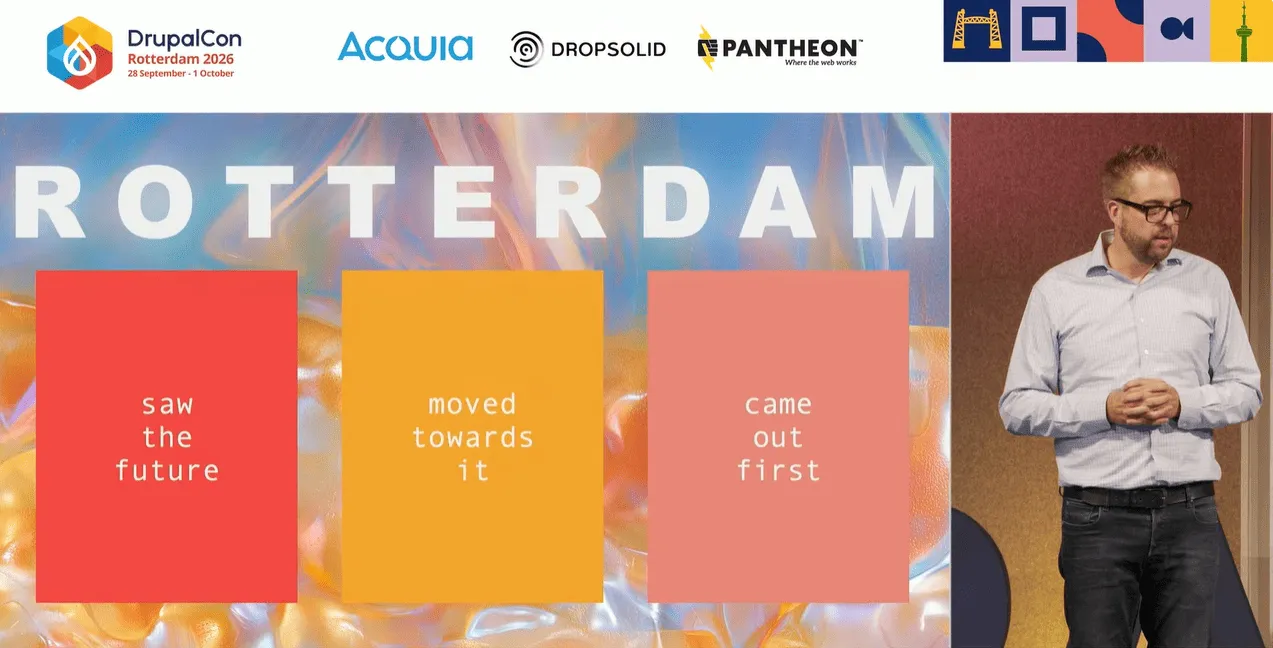
“Saw the future, moved towards it, came out first!”
Dries summed up Rotterdam’s approach in three steps: they saw the future, moved towards it, and came out first. He sees the same mindset in the Drupal community and said it is one of the things he is proud of.
Multilingual improvements in Drupal CMS
Originating in Belgium, Drupal has always been great at multilingualism, said Dries, and it’s impossible to disagree. However, Drupal CMS 2.2 takes this further by presenting updated, extremely user-friendly multilingual capabilities.
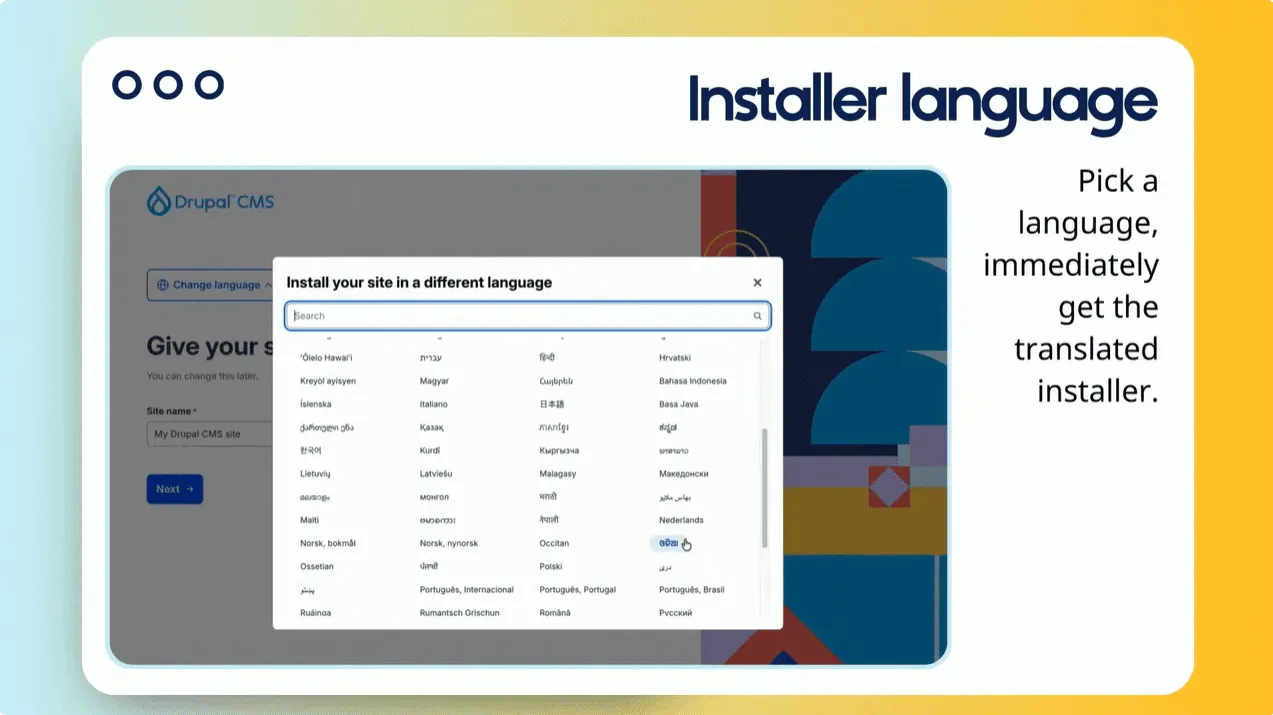
The Drupal CMS installer now features a friendly language selector, with a quick search for languages that you can add to your website with available translations.
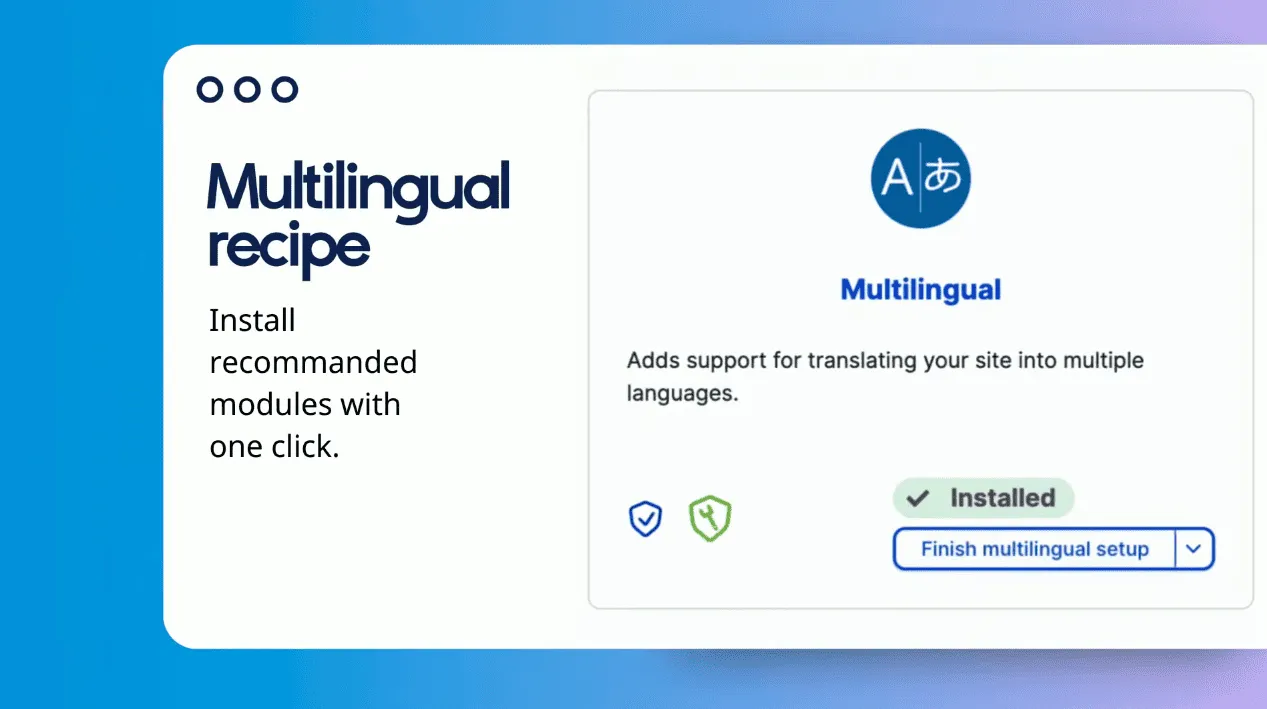
Instead of assembling modules and settings, you can just apply a recipe that packages them all together. In this case, it’s the the Multilingual recipe that has a guided setup checklist to help you decide which part you need.
When it comes to translation configuration, you can use one of these options:
- one-button recommended setup that accepts common defaults
- simplified customization per content type
advanced settings with detailed per-type customization
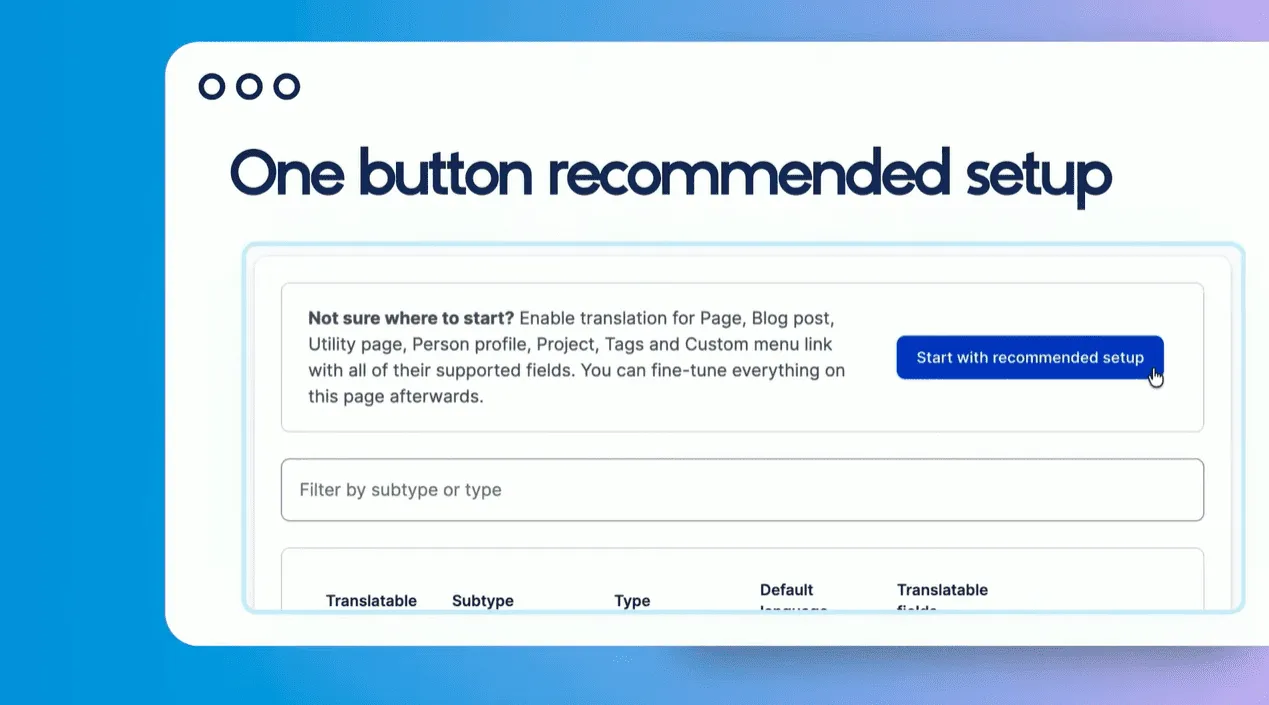
One-button setup for translation configuration in Drupal CMS
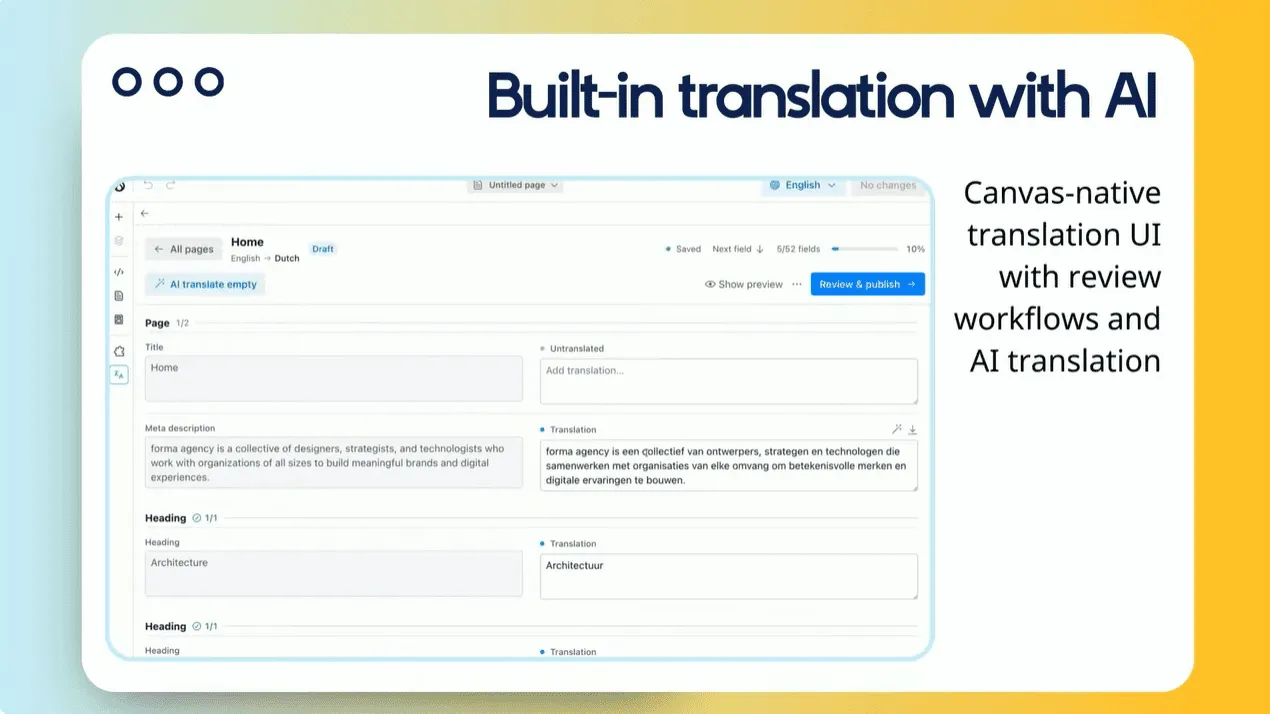
Drupal’s new page builder, Canvas, now includes a visual translation preview directly in its user interface.
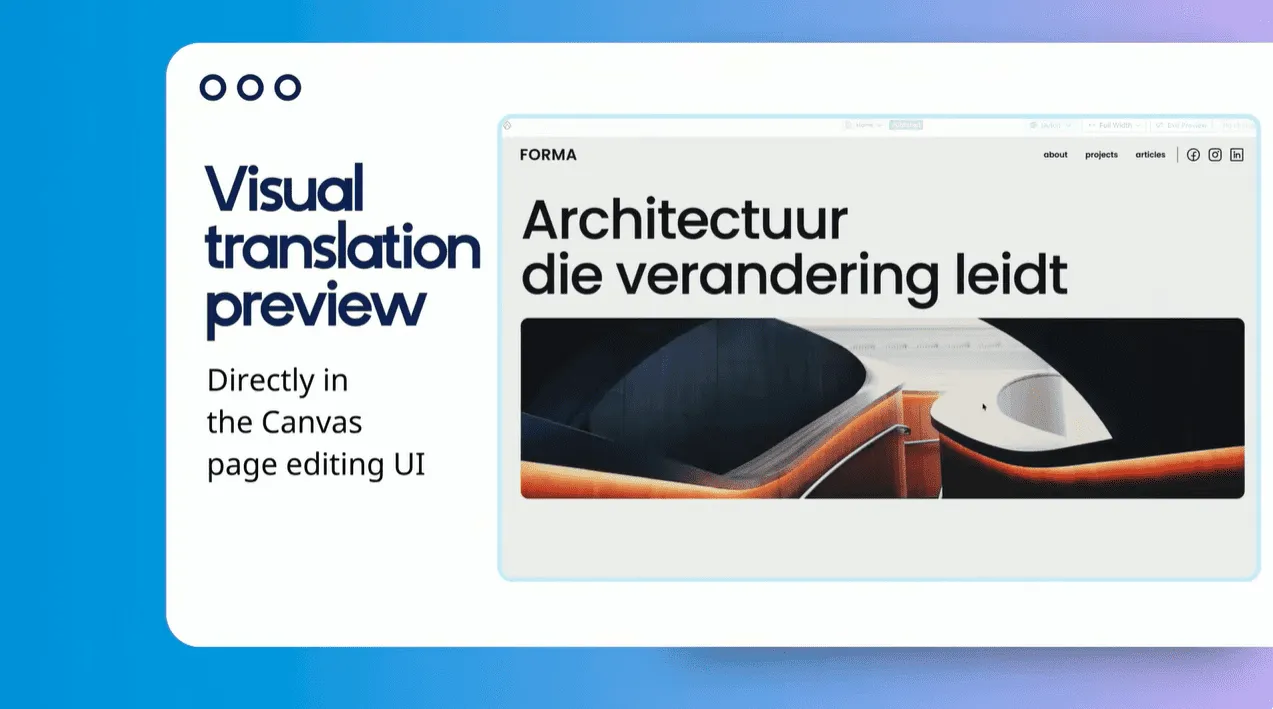
There is also a built-in Canvas-native translation feature with review workflows and AI translation.
Canvas components
Developers build with familiar tools, AI speeds up the work, and content teams build visually. That’s how Balint Kleri, Technical Lead and creator of the Canvas project, summarized the benefits of the new Canvas components in Drupal CMS in a demo shared within the Rotterdam Driesnote.
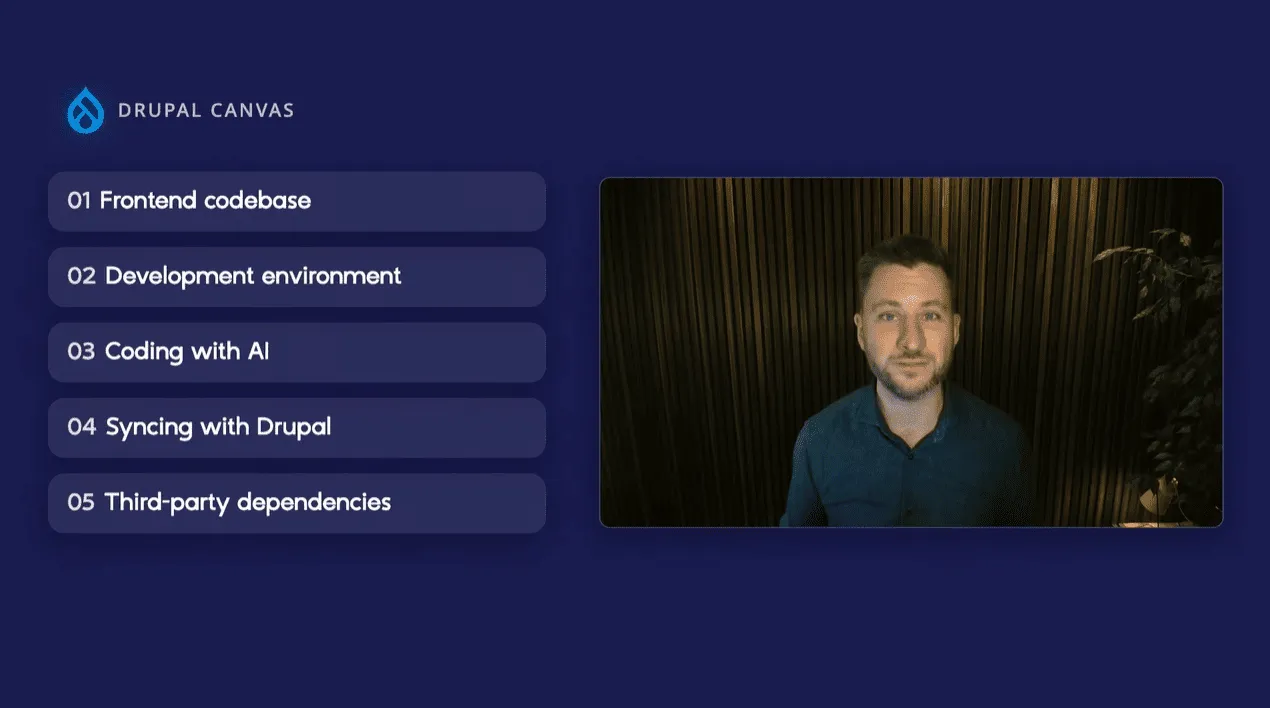
He highlighted the importance of:
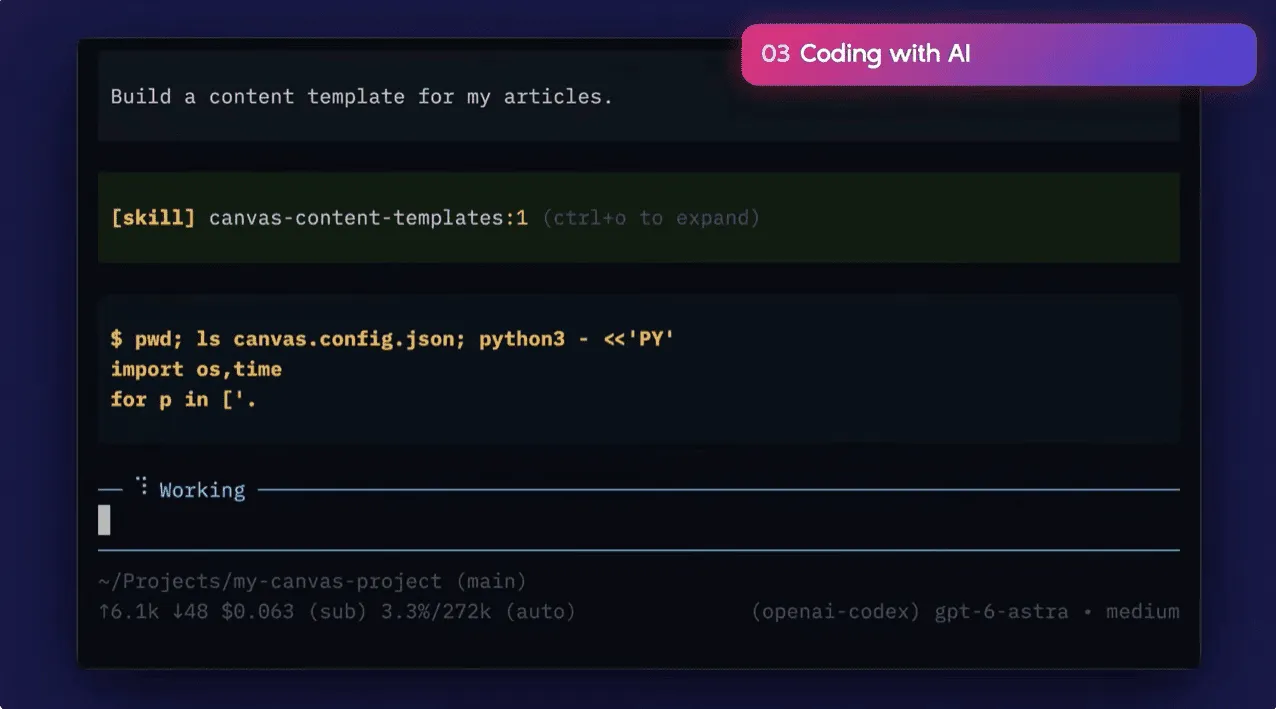
- Developer-friendly tools. Developers can use a single command to scaffold front-end codebases with preferred coding agents and tools. You get a project where all the tooling is set up, and example components are built with React, TypeScript, and Tailwind CSS. It allows JavaScript developers to work with modern front-end standards without needing to master Drupal-specific templating patterns.
- Canvas workbench. It provides a built-in, zero-configuration local server (similar to Storybook) to inspect and preview components, pages, and templates in isolation during development. It is similar to Storybook but requires no extra configuration and is built specifically for Canvas.
- AI integration. Coding agents can turn ideas into components, pages, or templates, or help migrate existing front-ends. They can check their own work and validate the code using the ESLint code analysis tool and the Canvas CLI.
- Seamless two-way synchronization. Using the Canvas CLI, developers can push components, pages, and templates directly to Drupal for the content team to use, with a two-way sync that allows changes made in Canvas to be pulled back into the local codebase.
- NPM ecosystem access. The system makes it easy to integrate third-party JavaScript packages from NPM to build rich, interactive user interfaces faster.
Canvas Headless
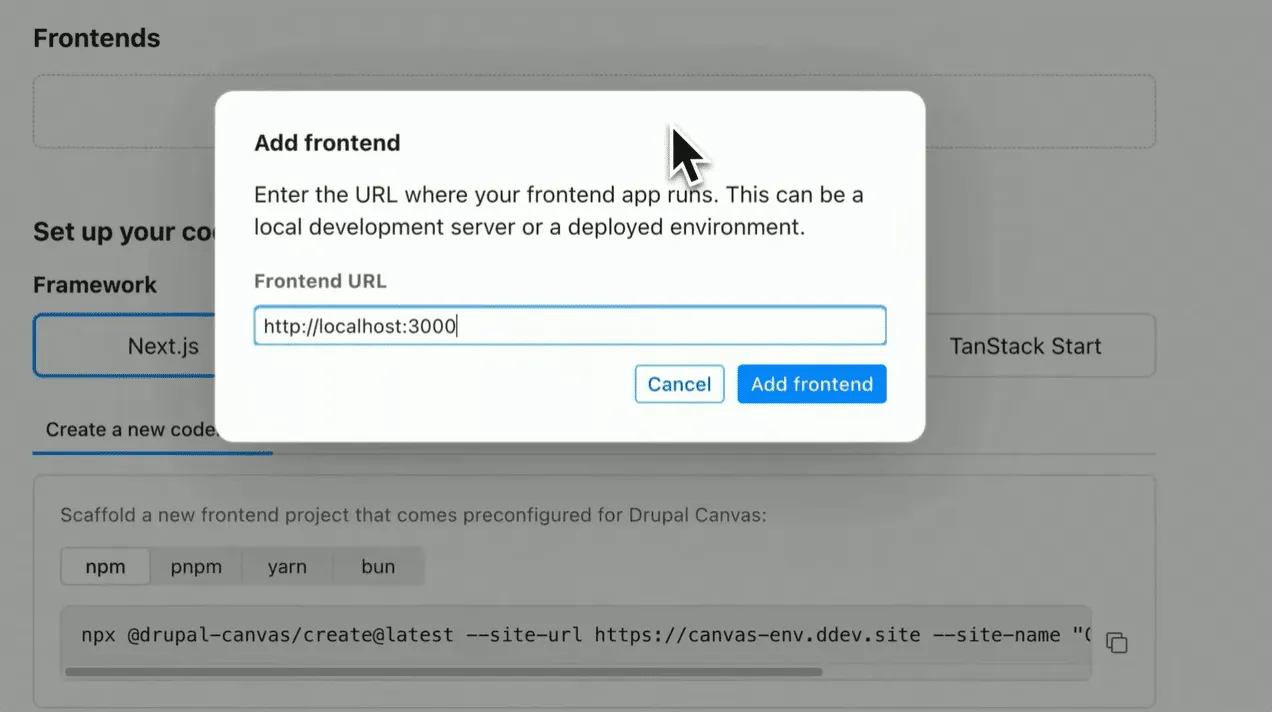
Organizations often need to unify diverse data sources (like content, commerce, and specialized services) into a single, cohesive user experience. Canvas Headless simplifies this by allowing developers to build with their preferred JavaScript frameworks while keeping Drupal as the backend.
Developers can connect a headless frontend to Drupal simply by configuring its URL, unlocking Canvas visual editing capabilities.
The system provides starter templates with one-command scaffolding for popular frameworks, including Next.js, Astro, Nuxt, TanStack Start, and Angular. Once connected, Canvas can work with the frontend components, giving editors a live preview of the actual application while they build and compose pages.
The Canvas CLI connects the development workflow with Drupal, allowing developers to push components, pages, and templates to Drupal for content teams to use visually. Changes made in Canvas can also be pulled back into the local codebase.
This approach allows developers to use their preferred modern frontend technologies while providing content editors with an intuitive, visual editing experience.
Drupal AI
Drupal uses artificial intelligence to help teams manage complex, large-scale websites more efficiently. A couple of capabilities were highlighted in the presentation (with a note that this is just a handful of possible options):
- Quality assurance. AI reviews website pages against set standards like tone, accuracy, and inclusive language, highlighting potential issues for editors to fix.
- Intelligent assistance. Visitors can ask questions that are answered directly from the site’s own content, with clear citations to where the information originated.
- Workflow integration. Editors can connect their preferred AI tools to draft changes across multiple pages, which then wait for human review.
- Governance and control. The system includes guardrails to keep AI interactions in line, and every action is logged to ensure transparency and accountability.
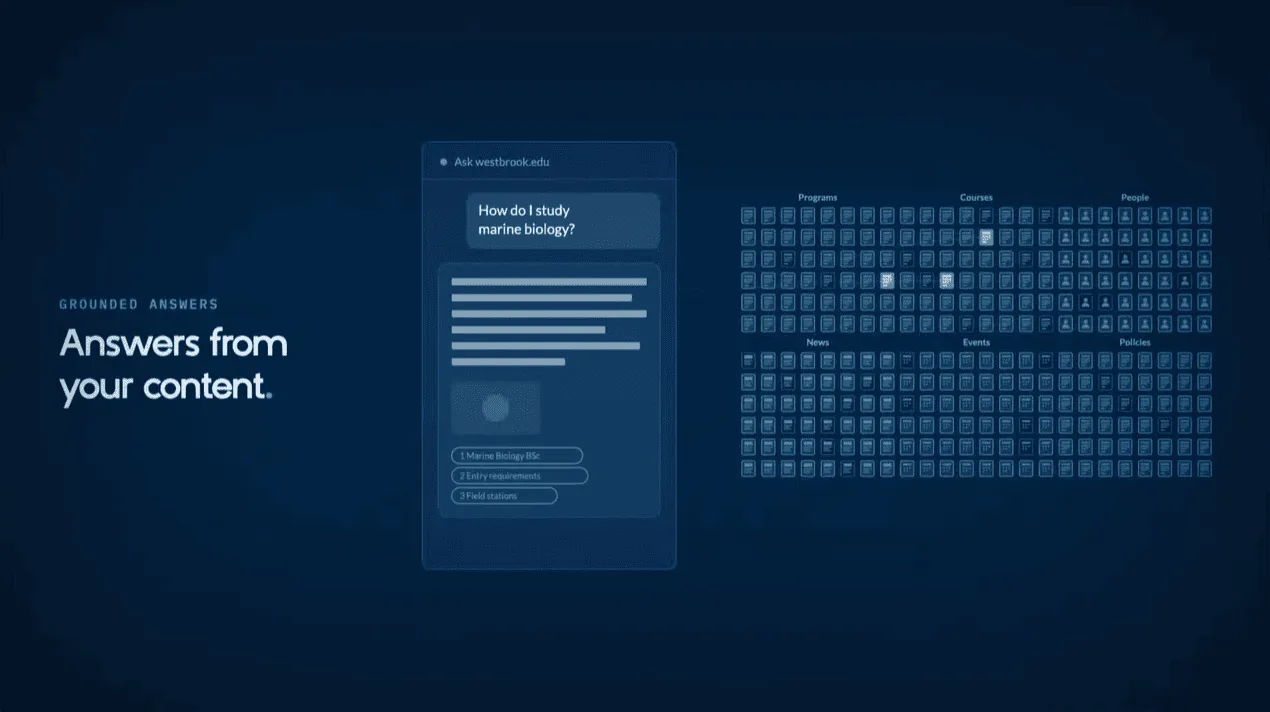
To help users explore these capabilities more fully, a fictional university demo site is available at drupal.org/ai/demo, which is preconfigured with credits so anyone can test the features firsthand.
Live demos: managing complex editorial tasks via natural language
Following an initial demonstration of the AI features, Dries Buytaert also showed how external AI interfaces can perform complex, multi-step Drupal tasks.
In the demos, natural-language prompts were used to instruct an AI assistant to perform advanced Drupal operations, without requiring users to interact directly with the underlying technical interfaces:
- Taking specific pages offline through natural language rather than navigating Drupal’s admin UI.
- Modifying, rolling back, or restoring past revisions on specific language content versions (for example, Dutch) while keeping the primary English content live and untouched.
- Translating entire pages, including configuration items such as system labels and UI strings (shown as a mockup and coming soon).
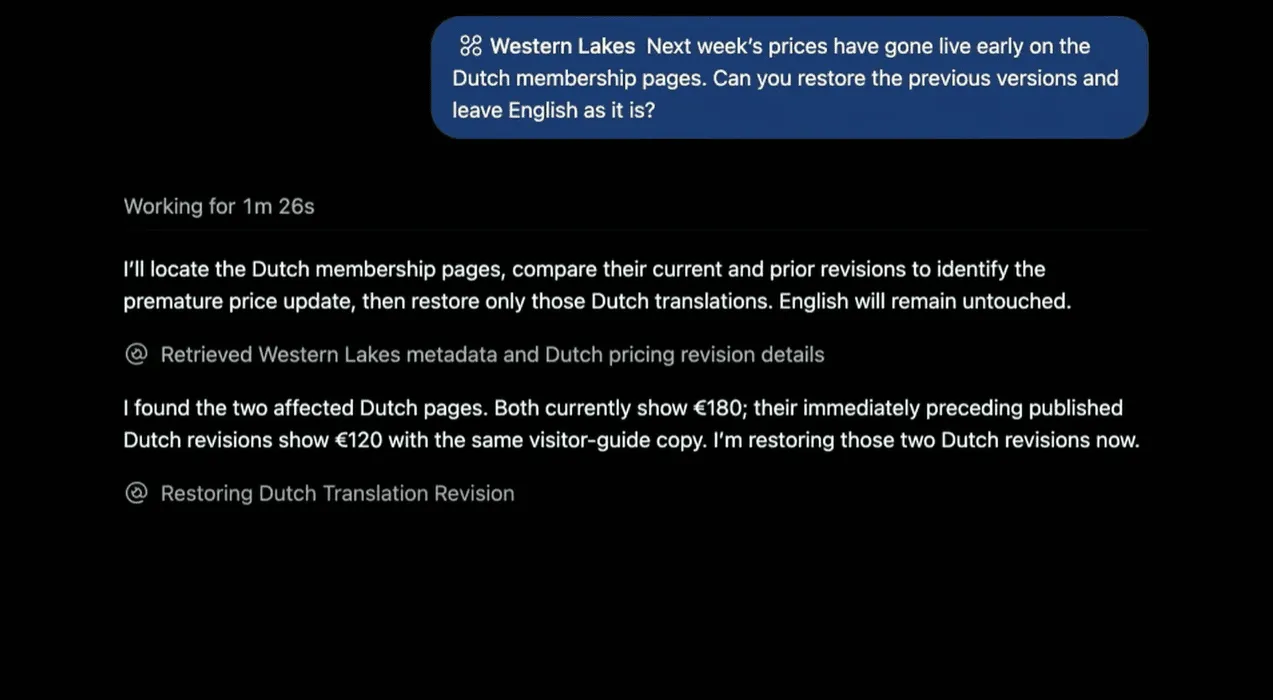
Under the hood: connecting Drupal to AI agents and beyond
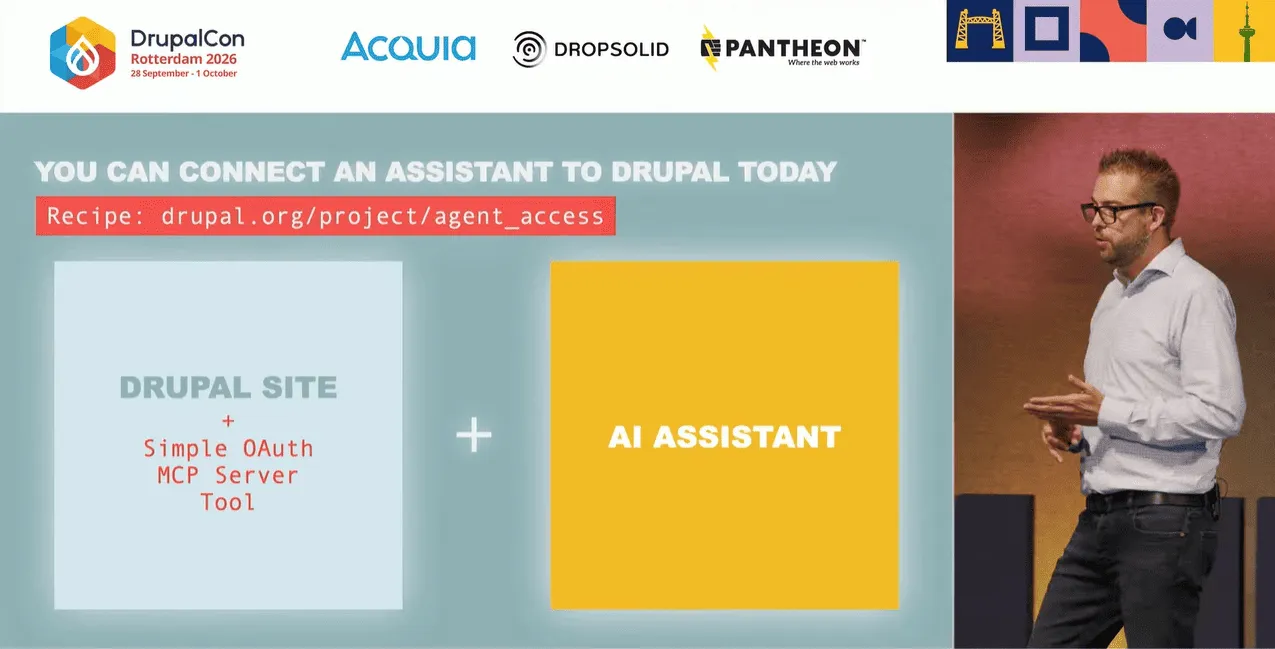
To turn these interactive demos into a practical reality for any site, Drupal introduced a streamlined architecture built around the Model Context Protocol (MCP) and the Tool API:
- Turnkey setup via the Agent Access recipe. Today, exposing a Drupal module’s capabilities to an AI assistant through MCP can take around 1,000 lines of code. Dries demonstrated a prototype that reduces this dramatically, while the Agent Access recipe combines Simple OAuth, MCP Server, and Tool API to simplify the setup.
- Better developer experience with #[Tool] attributes. Instead of writing extensive integration code, developers can describe a capability as a Tool API tool using PHP attributes. The tool definition can then be reused by different consumers, including AI agents and MCP clients.
- Broadening the scope. The same “describe once, use in multiple places” approach isn't limited to AI assistants. Tool API tools can also be used by workflow and automation systems such as ECA or Flowdrop, extending their use beyond AI agents.
- The “Rosetta Sprint.” The community is taking this idea further with an upcoming Rosetta Sprint, where contributors will work on making capabilities in Drupal and contributed modules available in a shared format that AI agents, other systems, and humans can use.
Addressing Drupal’s reputation gap
Drupal is “light years ahead of its reputation,” said Dries, admitting that’s frustrating. People often judge Drupal based on its older versions, while the project is moving rapidly into the future and innovating at an impressive pace.
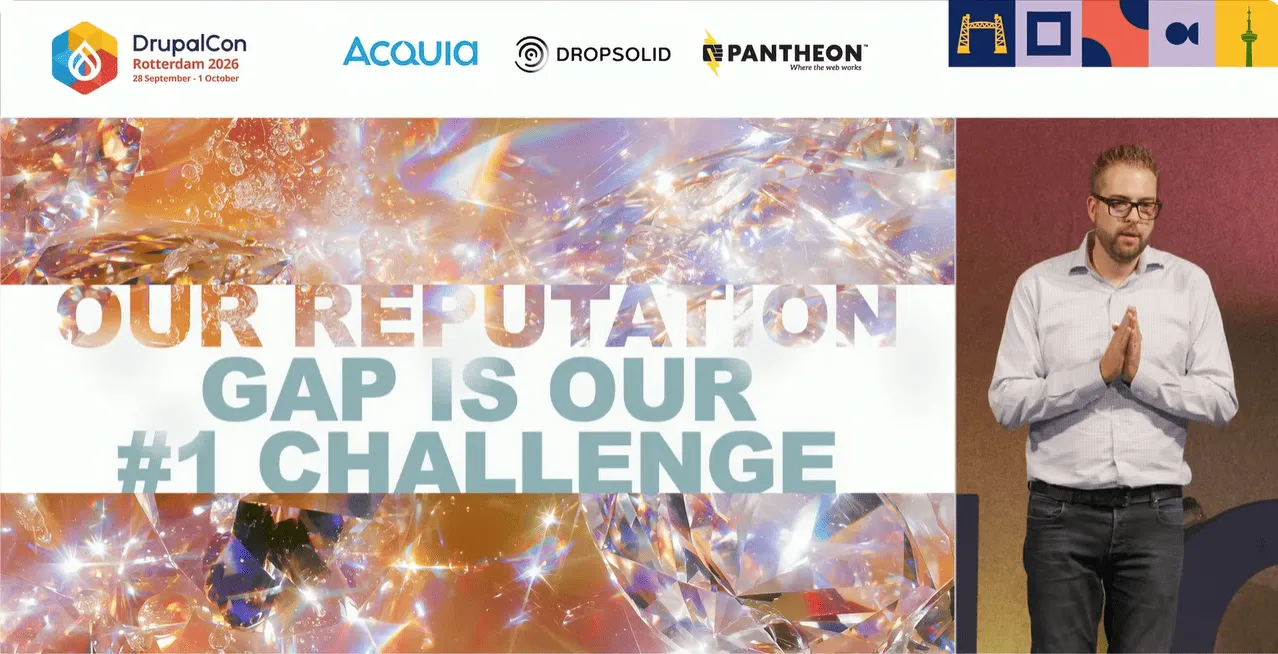
The launch of Drupal CMS “reignited Drupal’s innovation energy.” Dries drew another parallel with Rotterdam: when the Port of Rotterdam became the first port in Europe to embrace container shipping, it made it easier for people to ship their goods around the world. Likewise, everything that has been built into Drupal CMS makes it easier for people to “ship their ideas to the world,” with Recipes, AI, Canvas, Site Templates, and more.
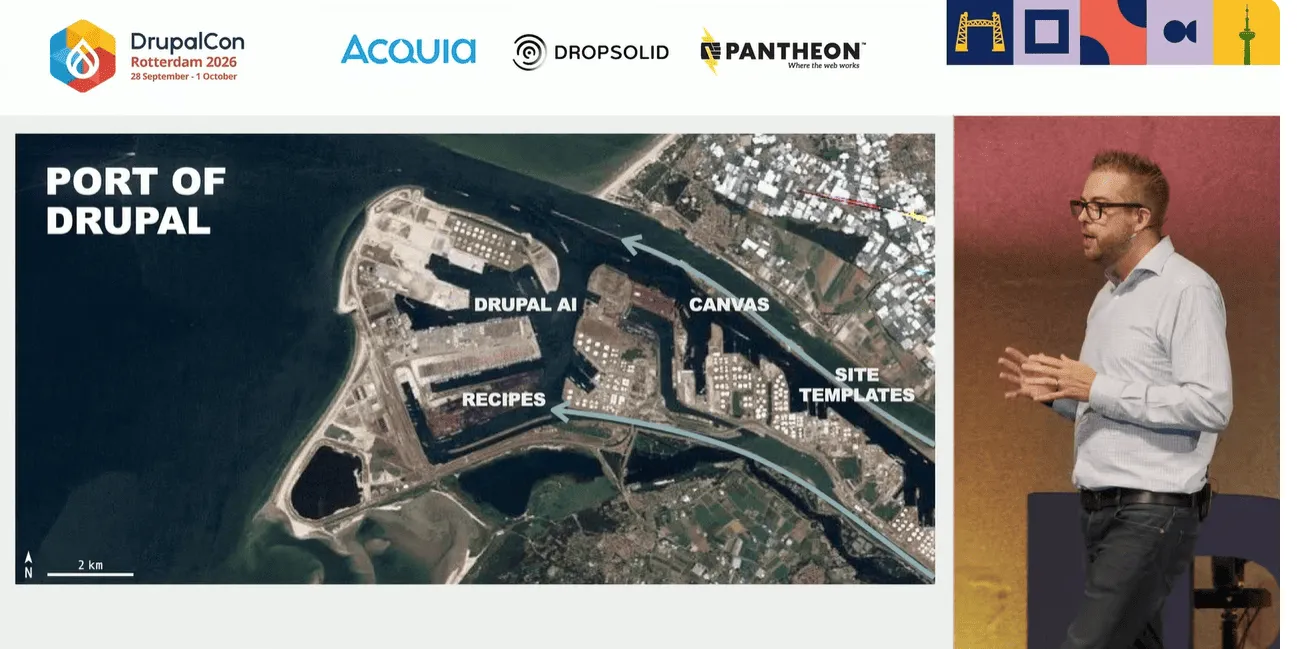
However, there is still a lot of work to do to close Drupal’s reputation gap. Dries emphasized that the community must actively challenge outdated perceptions of Drupal by telling better stories and creating a more accurate public record of what Drupal can achieve today.
The new advocacy program
To incentivize and recognize this work, Drupal is launching an advocacy program. The program aims to track and reward advocacy activities, such as blogging, speaking at non-Drupal events, or creating demos, with contribution credits, similar to the way technical contributions are recognized. Community members can submit their advocacy efforts through a new form at drupal.org.
Amplifying community work
Dries also encouraged the community to amplify each other’s work by reusing existing content: turning presentations into tutorials, creating short video clips for social media, and sharing takeaways from DrupalCon.
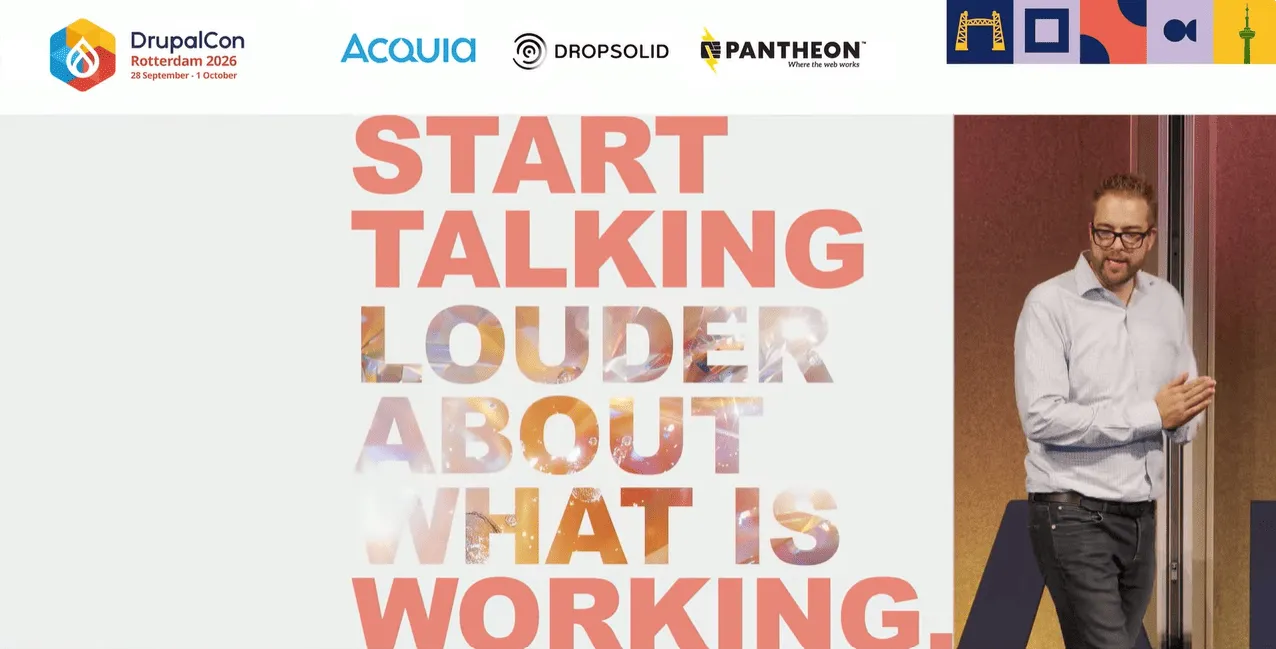
Rotterdam’s motto, “Niet lullen, maar poetsen” (roughly, “Stop talking, start working”) is a perfect expression of the city’s pragmatic spirit. But Dries offered a Drupal twist on it: “Start talking louder about what is working in Drupal.”
Final thoughts
The Driesnote showed how much Drupal is changing. AI-assisted editing, multilingual capabilities, AI agents, automation, and new developer tools are making Drupal more capable while also making its power easier to access. Drupal is opening its capabilities to new kinds of users and tools, and continuing to push the technology forward. Rotterdam was a fitting place to see that in action.
Technology is only part of the story, so the community also needs to make sure the world knows what Drupal can do today. By sharing our work, telling better stories, and amplifying each other’s successes, we can help show that Drupal is building the future of the web.