
Design System Essentials for Higher Ed Multi-Site Management

Most universities juggle 50+ departmental sites. The larger ones manage hundreds or even a thousand sites across colleges, research centers, student organizations, and athletics programs. Each department wants autonomy. Each creates its own interpretation of the university brand.
This results in prospective students getting confused, web teams wasting time rebuilding the same components repeatedly, and every simple update requiring coordinating across dozens of sites without a centralized website design system.
Multi-site design systems solve this. They give you centralized control without crushing departmental identity, let your team launch new sites in weeks instead of months, and make accessibility compliance manageable.
This guide breaks down what design systems are, which design system components matter most for higher ed environments, and how to build one that scales, whether you manage 10 sites or 1,000.
The Multi-Site Challenge in Higher Education
Universities managing multiple sites face four interconnected problems that compound as their digital ecosystem grows:
- Inconsistent branding – One department uses the official color palette while another picks "close enough" colors that clash when visitors navigate between sites. The admissions site looks modern, while the College of Arts and Sciences looks like it launched in 2012, and prospective students notice the disconnect.
- Duplication of work – Engineering needs an event calendar. So do Business, Student Affairs, and Athletics. Teams build the same component four times because each department requested it separately. Higher ed websites are usually vast and complex, and this duplication wastes both time and budget.
- Costly maintenance – Security patches need to roll out across all sites, while design updates require touching every property individually. A simple navigation change means manually updating 50+ sites, leaving teams spending more time on maintenance than building new capabilities.
- Content governance and accessibility – Without central standards, each site develops its own content strategy. Some departments publish frequently with casual language, while others maintain formal, rarely updated content. Meeting WCAG 2.1 Level AA standards means auditing hundreds of pages, each with different violations. Keeping everything organized becomes essential when managing this volume.
Solving these problems requires balancing centralized control with local flexibility. Central marketing needs brand consistency, but departments serve different audiences with different priorities. Push too hard on standardization, and you'll watch faculty build unofficial sites outside your system or hire outside agencies to work around your platform entirely.
Multi-site design systems provide the middle ground by establishing guardrails that maintain institutional standards while giving departments room to express their unique identity.
What Is a Web Design System?
Before you can build one, you need to understand what design systems are and how they differ from related tools you might already have.
A design system is more than a PDF of brand colors and fonts sitting in a shared drive. Those style guides don't help developers build components or give content teams usable templates. Real design systems combine three elements:
- Reusable components
- Clear guidelines
- Governance structures
Think of buttons that work the same way across all sites, forms with consistent validation patterns, and cards that display information in predictable layouts. These components exist as code, not just documentation.
Design systems are living resources that evolve with your institution. When someone discovers a better way to handle mobile navigation, the system updates and all sites using that component get the improvement automatically. The system grows smarter over time instead of becoming outdated the day after launch.
Here's a concrete example: a style guide might say, "Primary buttons use school color #003366 with 4px border radius." A design system gives you code for that button, documentation on when to use primary versus secondary variants, accessibility requirements built in, and governance rules for who can modify it.
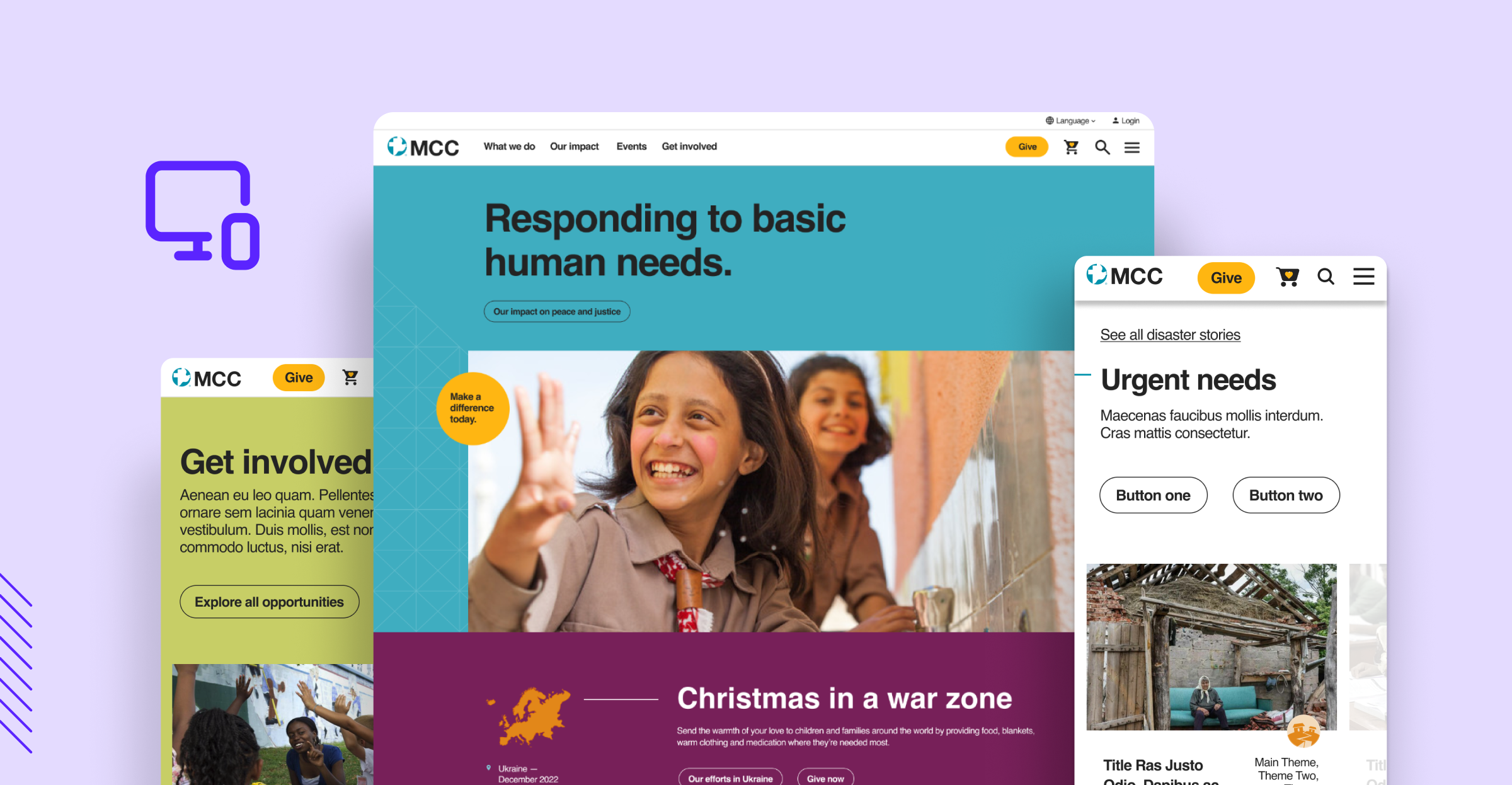
How Design Systems Differ from Pattern and Component Libraries
These terms get used interchangeably, but understanding the differences helps you build the right solution.
Pattern Libraries
Document UI patterns with examples and best practices. They show you the "what" and "when" but not always the "how."
Component Libraries
Contain coded components you can use immediately, giving you working buttons, forms, and navigation elements.
Design Systems
Encompass both plus governance and standards, including brand guidelines, accessibility requirements, content standards, and the processes for maintaining everything.
Most universities need the full design system approach. The patterns alone don't help developers build consistently, and the components alone don't ensure proper usage across departments.
Core Components of an Effective Higher Ed Design System
A complete design system includes the building blocks your sites need, the standards that keep them consistent, and the technical foundation that makes it all work together.
UI Components That Scale
Every site needs the same foundational elements:
- Buttons – Multiple variants for different contexts (primary actions, secondary options, disabled states) that work across different background colors
- Forms – Text inputs, dropdowns, checkboxes, radio buttons, and file uploads with clear labels, error states, and validation messages that work for both simple signups and complex applications
- Cards – Consistent formats for displaying events, people profiles, and news that stay scannable while content varies
- Navigation – Patterns that scale from simple three-page sites to complex mega-menus with dozens of options
- Headers and footers – University-wide consistency for logos and required legal notices while giving departments room for sub-brand elements
Brand Guidelines, Accessibility, and Content Standards
Brand Consistency
Logo usage rules prevent departments from stretching, recoloring, or creating "improved" versions of the official mark. Color palettes express brand identity while meeting accessibility contrast requirements. Typography hierarchies guide content creators with clear rules for headings, body text, and other elements.
Built-in Accessibility
Accessibility standards get built into every component from day one. Buttons have proper focus states for keyboard navigation. Forms include clear labels and error messages that screen readers can parse. Images require alt text. When you fix a component's accessibility issue, every site using that component gets the fix automatically.
Content Governance
Voice and tone guidelines help content creators write appropriately for different contexts. Content templates give creators starting points for event announcements, faculty bios, and news articles. The governance structure answers who can edit what and when, with some components locked at the institutional level while others allow departmental customization.
Technical Implementation with Drupal
Drupal's component-based architecture makes it well-suited for design systems in higher ed multi-site environments:
- Reusable blocks become your system components, built once and used across any site that needs them
- Paragraphs provide flexibility for complex page layouts, letting content editors arrange building blocks without touching code
- Layout Builder lets departments customize page structures while staying within system guardrails
- Storybook integration documents components outside the CMS, showing designers and developers every variant and when to use each one
- Multi-site architecture runs dozens or hundreds of sites on a single instance, sharing components and rolling out updates system-wide
The Benefits of Design Systems for University Websites
The shift is simple: build once, use everywhere. Instead of every department rebuilding the same components with slight variations, you create shared building blocks that work across your entire digital ecosystem.
What This Looks Like in Practice
Consider what happens when your admissions team needs a new landing page. Without a design system, they're either waiting weeks for your development team to build custom components or cobbling together something that doesn't match the rest of your sites.
With a design system, they assemble the page from existing components in an afternoon. The navigation works the same way as every other site. The forms follow established patterns. The buttons match your brand standards automatically.
Now imagine rolling out a security update. Without a design system, you're manually patching 50+ sites, tracking which ones are done in a spreadsheet, and hoping nothing breaks. With a design system, you update the shared component library once, and every site using those components gets the fix simultaneously.
The same pattern applies to everything. Engineering wants to showcase robotics labs with custom photography. Fine Arts needs to highlight gallery exhibitions. Both use the same underlying page structure and navigation patterns, but each feels distinctly theirs through content and imagery choices.
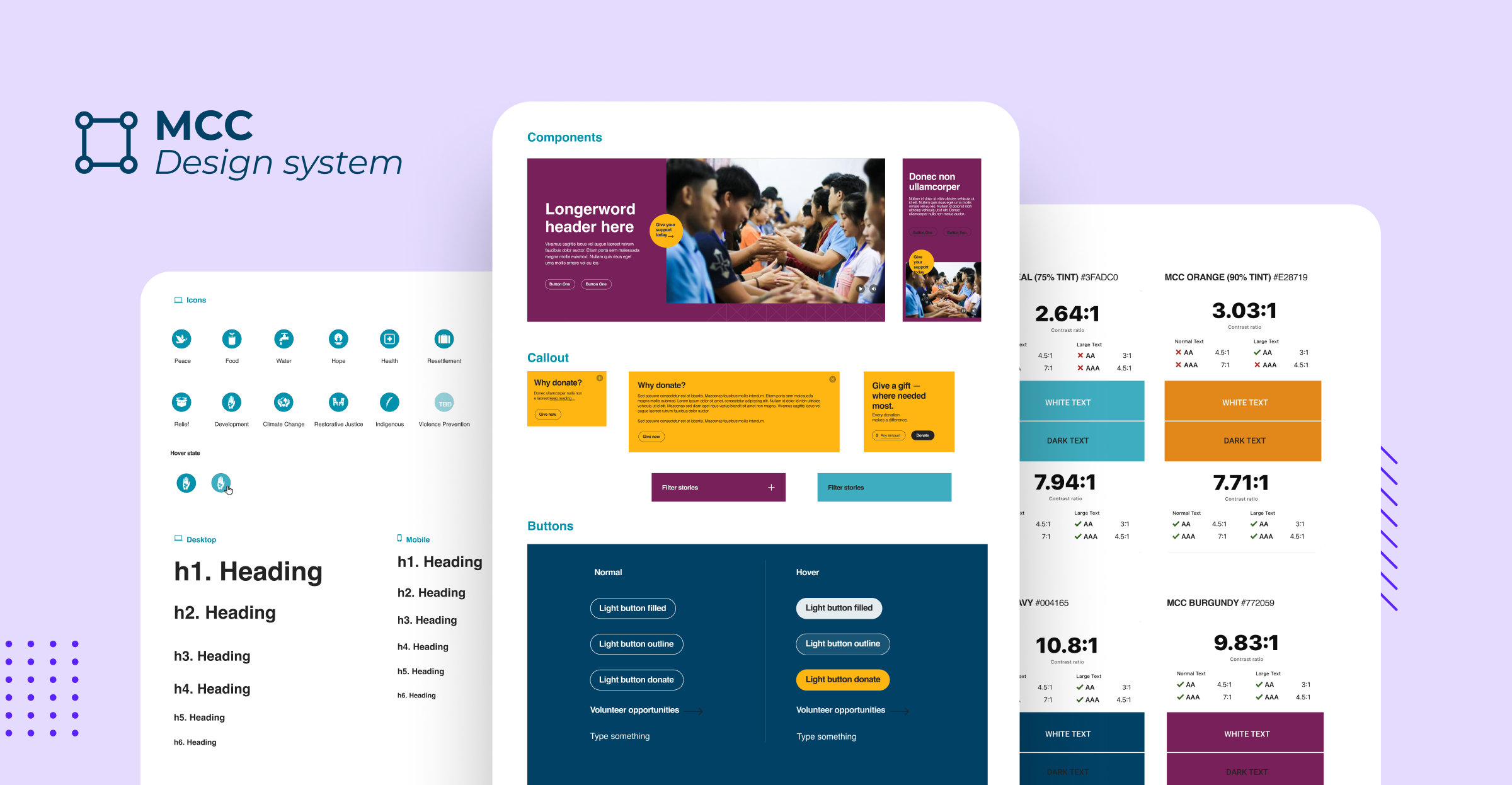
How This Scales: University of Waterloo
The University of Waterloo manages 1,100 websites serving 7 million monthly page views. When they needed to modernize their entire digital ecosystem, they partnered with ImageX to build reusable components that work across departments.
A student expense calculator needed by the Registrar's Office became modular components any department could adapt. The solution worked so well it became two contributed Drupal modules now available to other universities facing similar challenges. New departmental sites launch in weeks using proven components while maintaining institutional brand consistency.
How to Build a Design System for Higher Education
Building a design system requires intentional planning, measured technical choices, and commitment to ongoing maintenance. The process breaks down into three phases that take you from current state to sustainable long-term operation.
Phase 1: Discovery & Planning
Before building anything, you need to understand what you have and establish who makes decisions. This groundwork prevents false starts and ensures the system serves needs rather than theoretical requirements.
Key steps:
- Inventory all existing sites and their components – Document how many sites you manage, what each one does, and who owns them. You can't improve what you don't understand.
- Identify what's working and what's failing – Some departments already built good solutions worth standardizing. Others created problems worth avoiding. Look for patterns in where users get confused and where your team wastes time.
- Define clear ownership and decision-making – Someone needs to own the design system. Determine who makes final decisions about components, who can contribute new ones, and what the approval process looks like. Formal IT governance practices at universities involve structures, processes, and relational practices for creating business value from IT investments.
- Set documentation requirements – Every component needs clear documentation covering when to use it, how to implement it, what variants exist, and accessibility considerations.
Phase 2: Technical Foundation
Your platform choice determines how easily you can build, maintain, and scale your design system. Choose architecture that won't limit you as needs evolve.
Key considerations:
- Evaluate multisite architectures – Drupal multisite lets one codebase power multiple sites with shared components but separate content and users. Updates deploy to all sites simultaneously.
- Consider custom distributions – Build your design system into a distribution that departments install when creating new sites. They get instant access to all system components, pre-configured and ready to use.
- Plan for flexibility – Some universities separate content management from presentation layer, using Drupal as a content hub while different front-ends consume that content. This works when you need extremely customized front-end experiences while maintaining centralized content governance.
- Choose technology that scales – Your system needs to grow with your institution as new departments form, programs launch, and requirements evolve.
Phase 3: Long-term Sustainability
Design systems are living tools that improve over time. Plan for continuous evolution rather than treating launch as the finish line.
Key practices:
- Establish regular review cycles – Schedule periodic evaluations of what's working, what's not, and what needs addition or modification. Let real-world usage data guide priorities.
- Create processes for requesting new components – Departments will need things you didn't anticipate. Make it easy to propose additions while maintaining quality gates to ensure new components meet system standards and genuinely add value.
- Implement version control and documentation – Track changes to components and document why decisions were made. When someone needs to modify a component months later, they need context about dependencies and rationale.
- Support ongoing contribution – The best design systems evolve based on usage. Which components get used most? Which sit unused? Where do support tickets concentrate? This feedback loop keeps the system relevant.
ImageX provides end-to-end digital services through every stage: Strategy, Design, Develop, and Evolve. Our expertise in higher education environments means we understand your unique challenges in managing complex multi-site ecosystems.
Building Your Design System with the Right Partner
Design systems deliver measurable returns: faster site launches, efficient maintenance, consistent branding, and reduced technical debt. But these outcomes depend on getting the foundation right from the start.
Building a design system requires expertise across multiple disciplines:
- Strategic thinking to define governance structures that balance institutional control with departmental autonomy
- Design expertise to create components that work across diverse use cases
- Development knowledge to build scalable technical architecture
- Ongoing support to evolve the system as your needs change
Trying to string this together across multiple vendors makes you spend more time coordinating than building. Teams that attempt it internally often underestimate the complexity until they're months into a project.
The difference between a design system that transforms your operations and one that becomes shelfware comes down to working with partners who've done this before. Not just built design systems in general, but specifically for higher education institutions managing the unique challenges of multi-site environments.
ImageX specializes in design systems for higher education institutions, from initial strategy through ongoing evolution. We've helped universities manage ecosystems ranging from dozens to 1,100+ sites, bringing both Drupal expertise and deep understanding of how higher ed institutions operate.
Ready to bring order to your multi-site environment? Schedule a discovery call to discuss how a design system can transform your institution's digital presence.