Building a Multi‑Layered Defense with Drupal: Top Security Tools and Practices
A truly secure Drupal site is protected on multiple levels. The web presents a wide range of threats, and each one can be countered with specific modules and techniques. When combined, these defenses create a powerful shield.
So, which modules and strategies belong in the ultimate website security formula? In this post, we’ll uncover our top recommendations. Sharing Drupal expertise and ideas is our passion, and website protection is one of the areas where we’ve gathered some of our most valuable insights. Welcome to your guided tour of various aspects of Drupal website security.
A Curated Collection of Drupal Security Essentials
Securing Drupal User Authentication
Encouraging strong, unique user passwords and using safe login practices are one of the most basic yet most important protections for a Drupal website. Compromised user accounts give intruders direct access. As a result, administrator rights can be stolen, sensitive data exposed, malicious code injected, and website content altered, all of which harm your reputation and business.
Out of the box, Drupal already provides a robust password management system that meets or exceeds many NIST (US National Institute of Standards and Technology) recommendations. On top of that, there are plenty of add‑on modules available to strengthen authentication security even more:
- Password Policy. This module helps you set constraints for user passwords, checks against previous passwords to prevent reuse, and offers password expiration, requiring users to reset their credentials after a set period.
- Password Strength. This tool measures the actual strength of a password by identifying common words, predictable sequences, repeated characters, or dates.
- Better Passwords. This module helps Drupal sites align with modern password security standards recommended by NIST.
- Two-factor Authentication (TFA). It adds an extra check by requiring not only a username and password but also a second factor, such as a code from your phone or an external service.
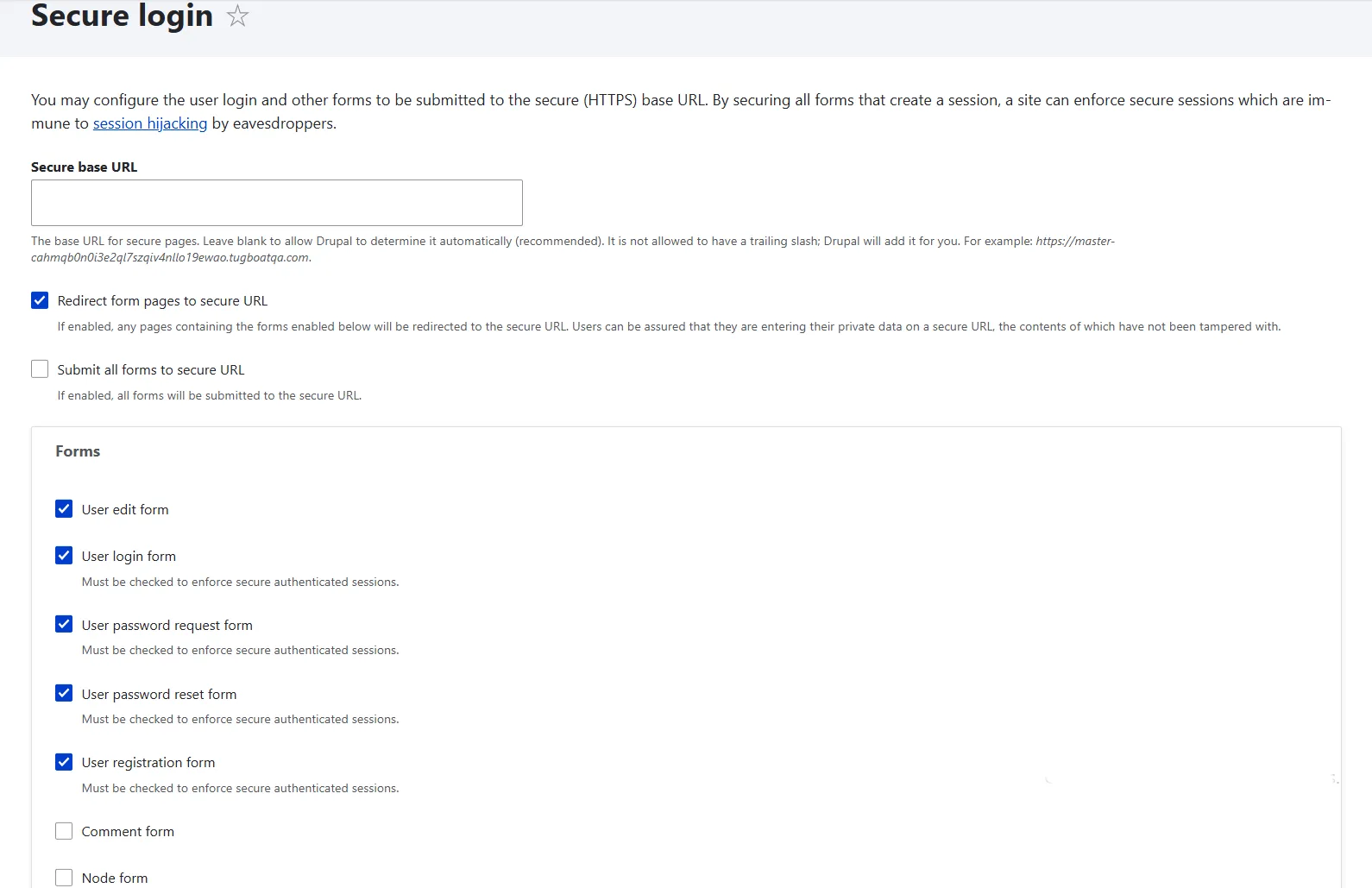
- Secure Login. We’d recommend ensuring the whole site is delivered over HTTPS, but in some circumstances that is just not possible. This tool ensures that all Drupal login forms and authenticated sessions are transmitted over HTTPS, protecting passwords and user data from being exposed or hijacked.
Discover more great modules along with detailed descriptions of how each tool works in our dedicated article on user password security in Drupal.
Protecting your Drupal Site from Spam Bots
Spam bots flood websites with fake registrations or comments, but they can be more than a nuisance. Each automated submission is a chance to test your defenses, and if they succeed, attackers can escalate their access.
They may try to inject malicious links into your content, trick your users into visiting phishing sites, or even exploit vulnerabilities in your forms to gain deeper entry into your system.
There are different approaches to fighting spam bots, and these two are the most common:
- checking if a user is human (and blocking them if they are not)
- trapping bots into revealing themselves (and blocking them)
Here are two tools that excel at each of these techniques.
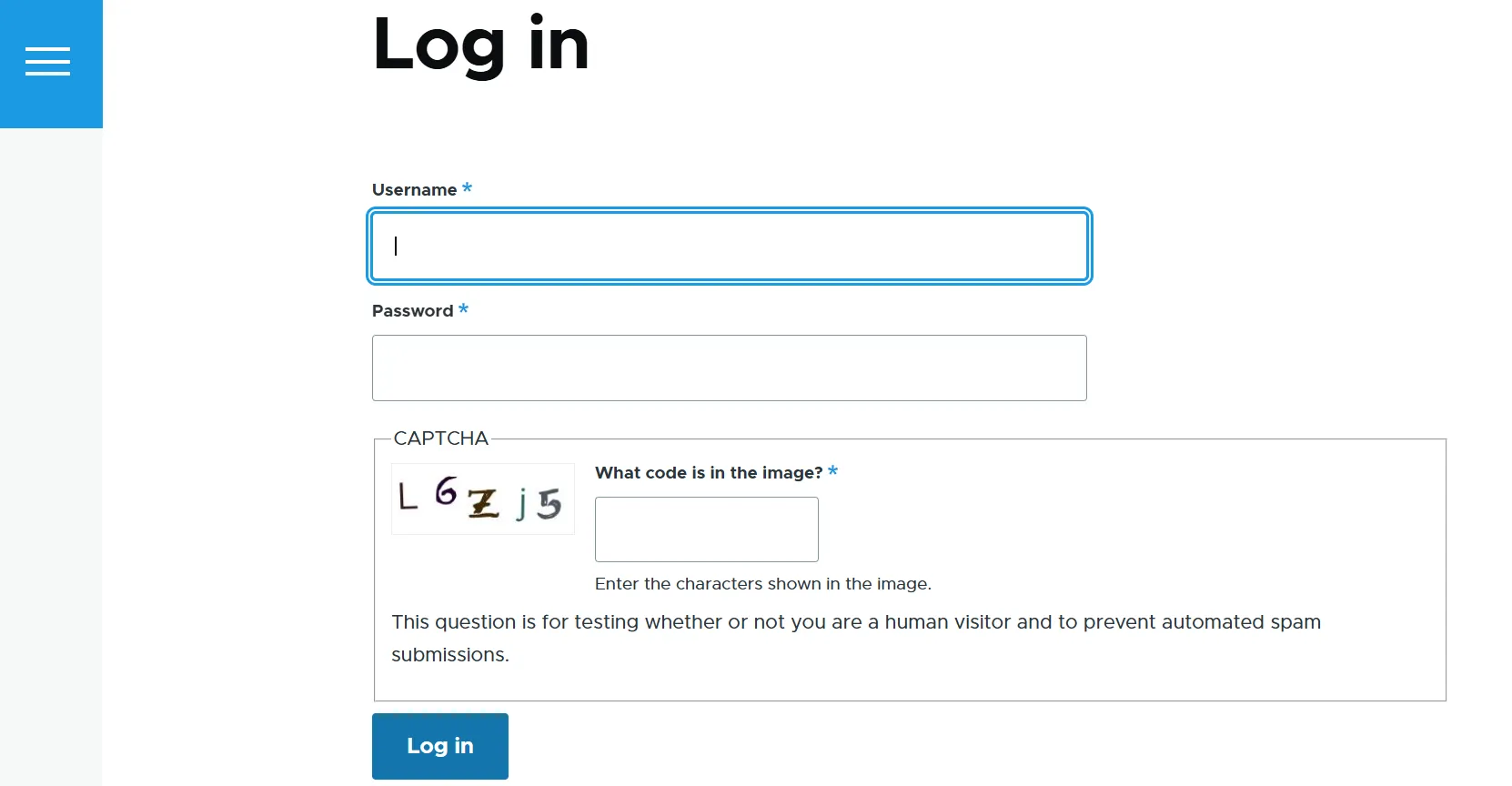
1. CAPTCHA and reCAPTCHA
CAPTCHA (Completely Automated Public Turing test to tell Computers and Humans Apart) works by presenting a challenge that is easy for humans but difficult for bots to solve. With CAPTCHA, users may be asked to type distorted text, solve a simple math problem, answer a question, and so on.
reCAPTCHA is Google’s implementation of CAPTCHA. It analyzes user behavior and often requires nothing more than a single click on the “I’m not a robot” checkbox. In some suspicious cases, it may present additional tests like asking users to identify images. The latest version, reCAPTCHA v3, is completely invisible and works behind the scenes.
Drupal has a wide array of modules for setting up CAPTCHA and reCAPTCHA. They include CAPTCHA, CAPTCHA Pack, CAPTCHA Riddler, CAPTCHA after, reCAPTCHA, reCAPTCHA v3, and more. See them all, along with more insights and a step-by-step guide to installing one of the most popular tools, in our article on CAPTCHA and reCAPTCHA for spam protection in Drupal.
2. Honeypot
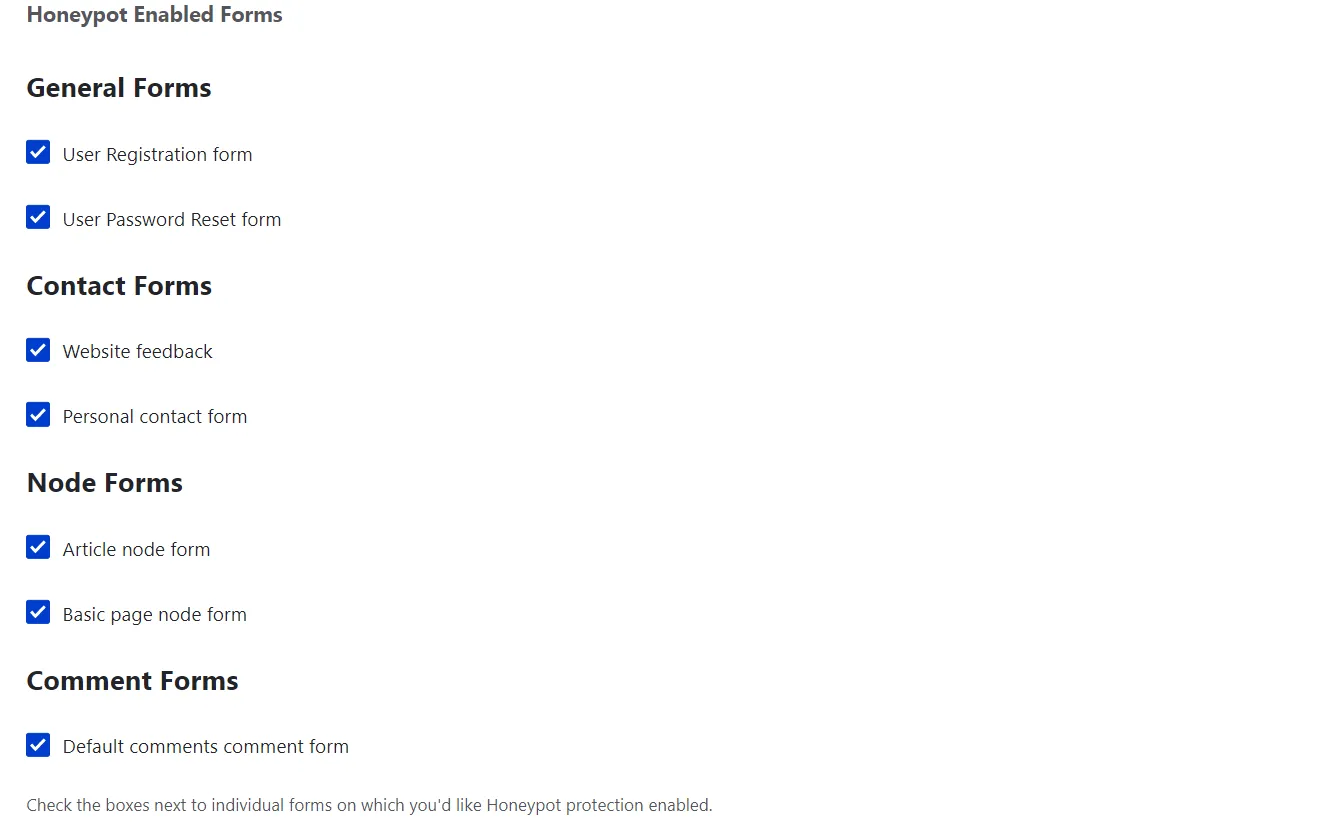
The Honeypot module is a clever trap designed to catch bots in action. The tool is part of our fun collection of great Drupal modules with food-inspired names that you might enjoy checking out. However, its playful name aside, it is a serious defense tool. For bots, stumbling into this “sweet trap” is anything but fun.
Honeypot adds hidden fields to your Drupal website’s online forms that human users can’t see. Spam bots, however, often try to complete every field they find. When they interact with these hidden fields, Honeypot detects the activity and blocks the submission.
The module can also enforce a minimum time delay between when a form is loaded and when it is submitted. Since bots often submit forms instantly, this delay helps distinguish real users from automated scripts.
Honeypot’s approaches are elegant because they don’t interrupt the user experience, with bots being caught in the background. The module is highly customizable, enabling you to protect all or specific forms, log failed submissions, set time limits, and more. Discover a detailed walkthrough of the Honeypot’s capabilities and settings for your Drupal website.
Protecting your Drupal Site from Common Attacks
Attackers sharpen their skills every day and never tire of attempting to compromise websites. Some of the most common methods include:
- Injecting malicious scripts (XSS) to run unauthorized code in a visitor’s browser
- Tricking users into sending forged requests (CSRF) that perform unintended actions
- Secretly loading your site inside another page (clickjacking) to hijack clicks and interactions
- Forcing browsers to misinterpret file types (MIME sniffing), which can expose vulnerabilities
- Downgrading or bypassing secure connections (SSL/TLS stripping) to intercept sensitive data
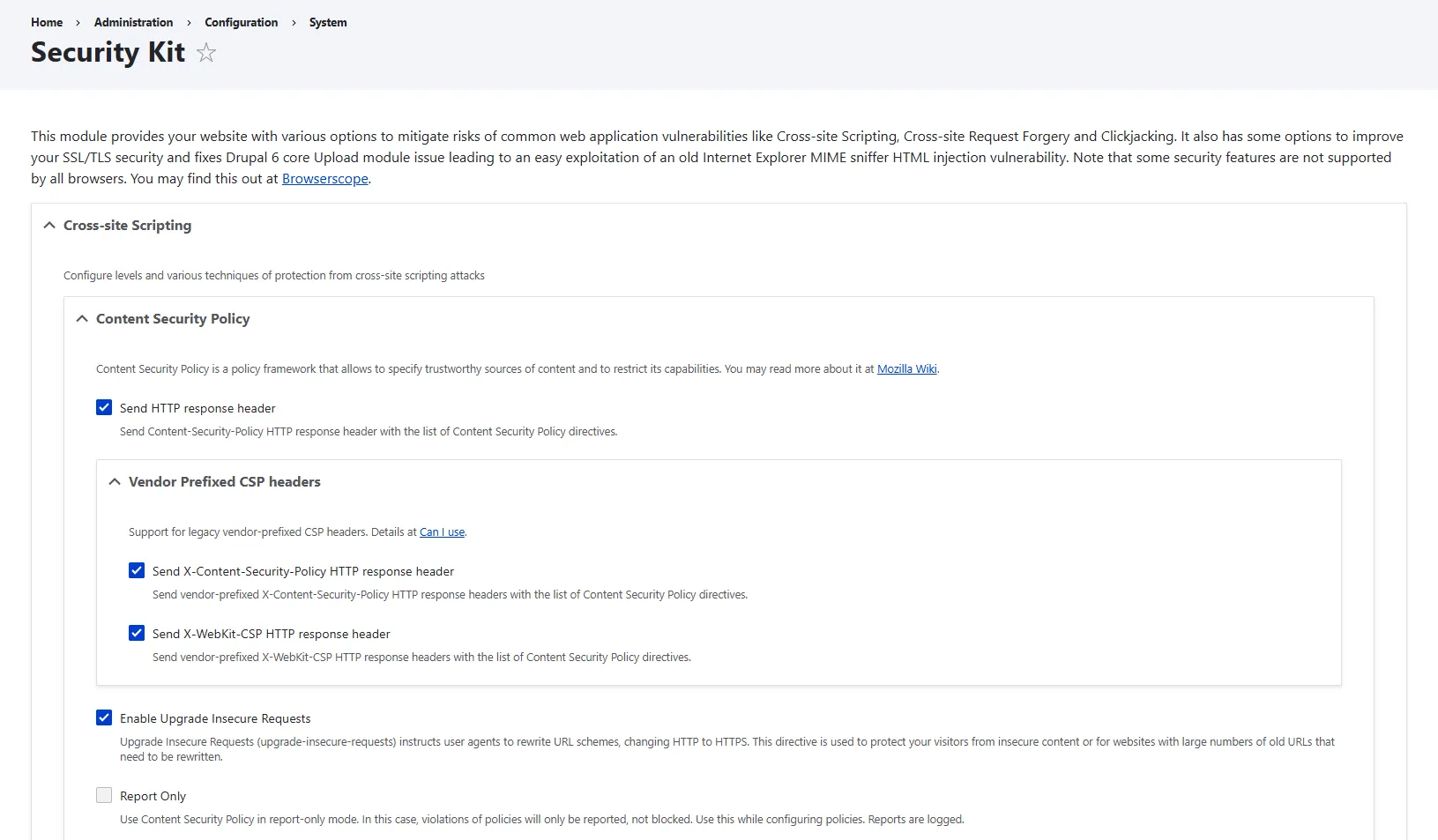
The great news is that Drupal has Security Kit (SecKit). As the name suggests, this module offers packaged protection. It helps you defend your site against all of the above-mentioned threats by tightening the way browsers interact with it.
SecKit sets clear rules through security headers — short instructions your server sends along with each page, telling the browser how to process the page safely. These headers tell browsers what’s allowed and what’s not. For example, this might mean blocking your site from being embedded elsewhere, restricting which scripts can run, and enforcing secure connections.
Want to see exactly how to configure this feature-rich tool? Check out our detailed article where we walk through the settings step by step and show how to get the most out of SecKit.
Handling your Drupal Site’s Keys Safely
Safe key management is a cornerstone of modern web security because it ensures that sensitive credentials are not exposed in insecure places such as code repositories, public files, or databases. By storing them properly, you reduce the risk of leaks and unauthorized access.
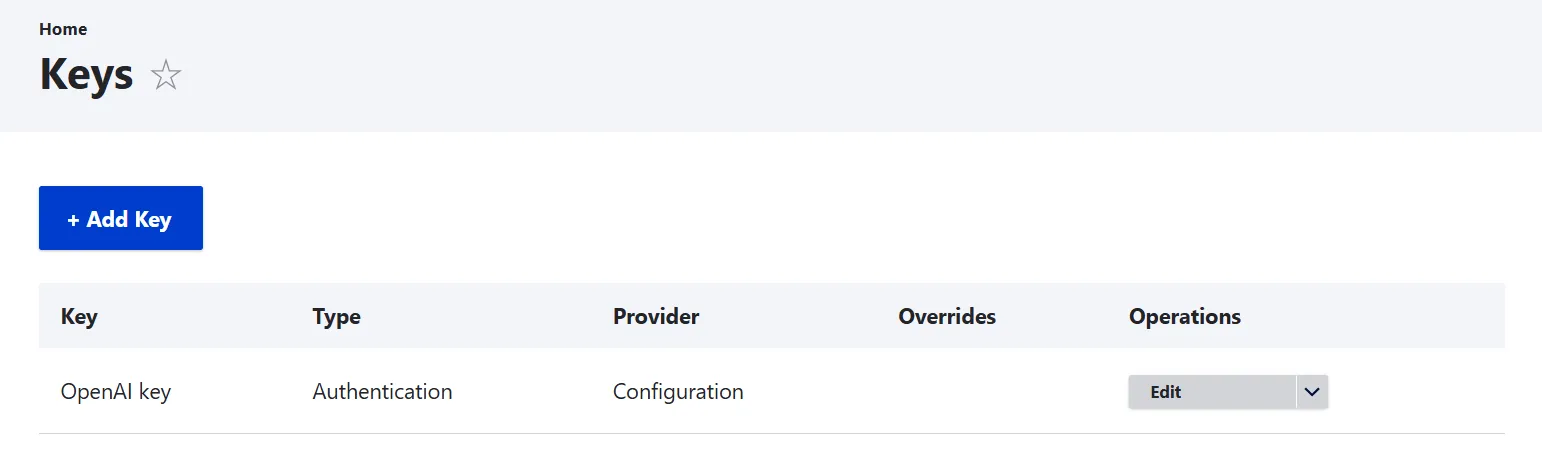
The Key module gives you a secure, centralized way to manage your site’s keys. This includes various types of keys:
- API credentials. They help connect your site to multiple services on an everyday basis (MailChimp, Amazon Web Services, OpenAI, and so on).
- Encryption keys. They convert sensitive data into a secure, unreadable format, which can only be decrypted with the appropriate key.
The module supports multiple storage options for these credentials, including files outside the web root, configuration (with caution), environment variables on the server, or integration with external key management systems. It also offers a user-friendly administration interface, making key management accessible even for non-technical users.
Proper key management not only strengthens your site’s security but can also support compliance with modern security best practices and regulatory requirements.
If you’re ready to dive deeper, read the full article to explore how the Key module works, and how you can start using it to enhance your Drupal website’s security today.
Backing Up your Drupal Site’s Data
Websites are dynamic systems. Content constantly gets updated, modules and themes evolve, servers undergo maintenance, and unexpected issues like human error, hacking attempts, or hardware failures can occur at any time.
How to ensure your hard work and your users’ data are protected? Website backups do not prevent issues, but they support you if something goes wrong, enabling you to quickly restore your site’s data from reliably stored copies.
Hosting providers usually make backups part of their packages. However, it’s always better to have your own backup routine so the backups are always accessible to you and are made on your preferred schedule.
That being said, website backups are one of the most essential parts of a good security plan, giving you peace of mind and helping you comply with requirements, especially if your site handles sensitive information.
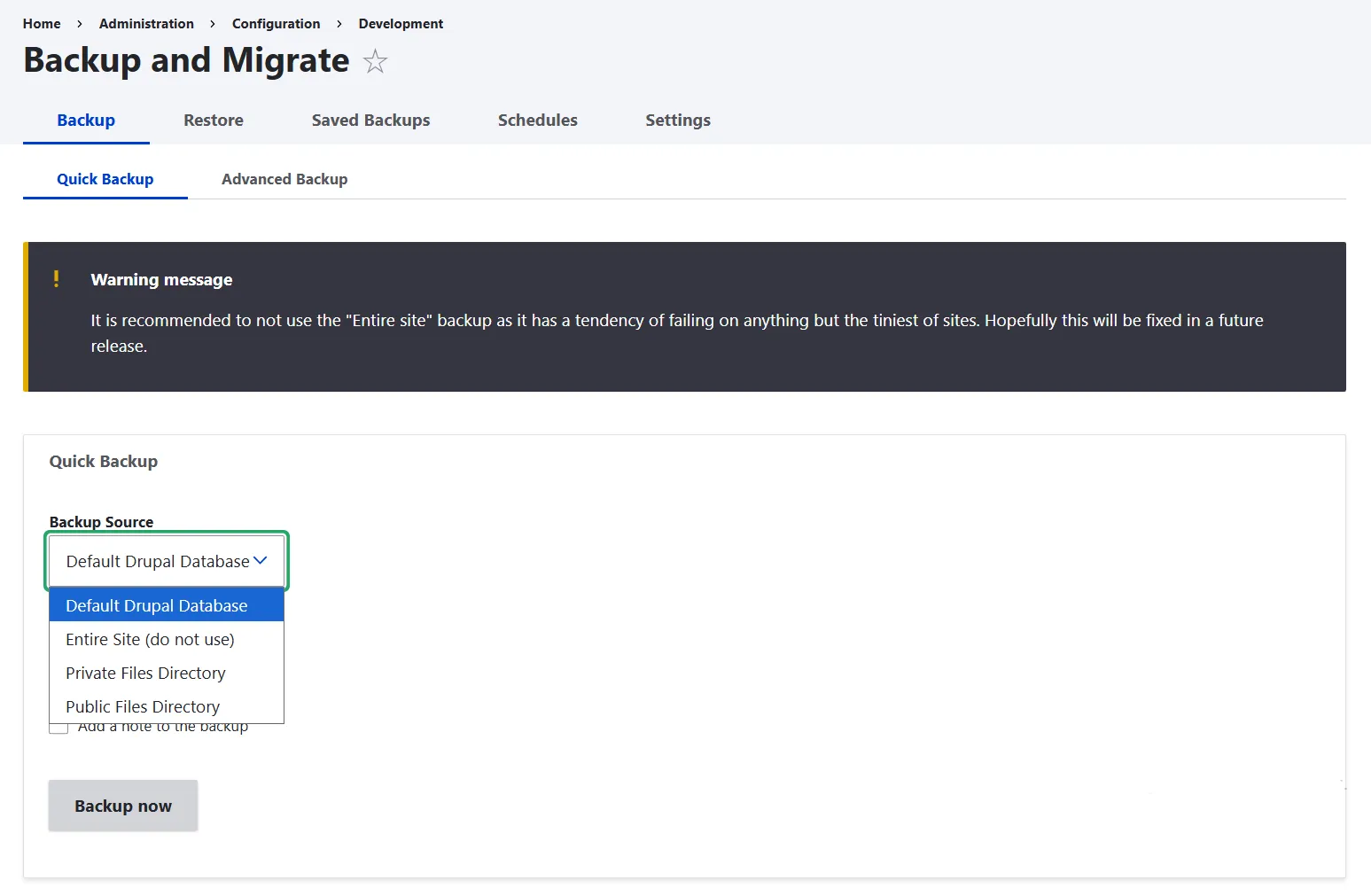
In the Drupal ecosystem, one of the most popular and robust solutions for managing backups is the Backup and Migrate module. It is designed with usability in mind: you don’t need to be a command-line expert to set up backups, but manage everything through Drupal’s admin interface.
You can run backups and restore your data in a few clicks. The option of quick backups is especially user-friendly, and more tech-savvy users can dig deeper and do advanced backups with a wide array of customization settings. It’s also possible to schedule automated backups that will be run behind the scenes by Drupal’s automated task runner, Cron.
You might like checking out our full article for a complete guide to backups in Drupal, plus a comprehensive walkthrough of the Backup and Migrate module to protect your site.
Protecting your Drupal Environment
Let’s also discuss one important aspect of Drupal website security that often remains overlooked. It’s the safety of your working environment, especially when using powerful command-line tools like Drush.
Drush can execute a wide range of operations with a single command, like clearing caches, running Cron, updating the database, exporting site configuration, and so on. This efficiency is what makes it so valuable, but it also means that certain commands require great caution.
If used carelessly, Drush commands might lead to issues. For example, important functionality can be removed, important content can be lost, updates may not be applied correctly, or even your entire website can be erased.
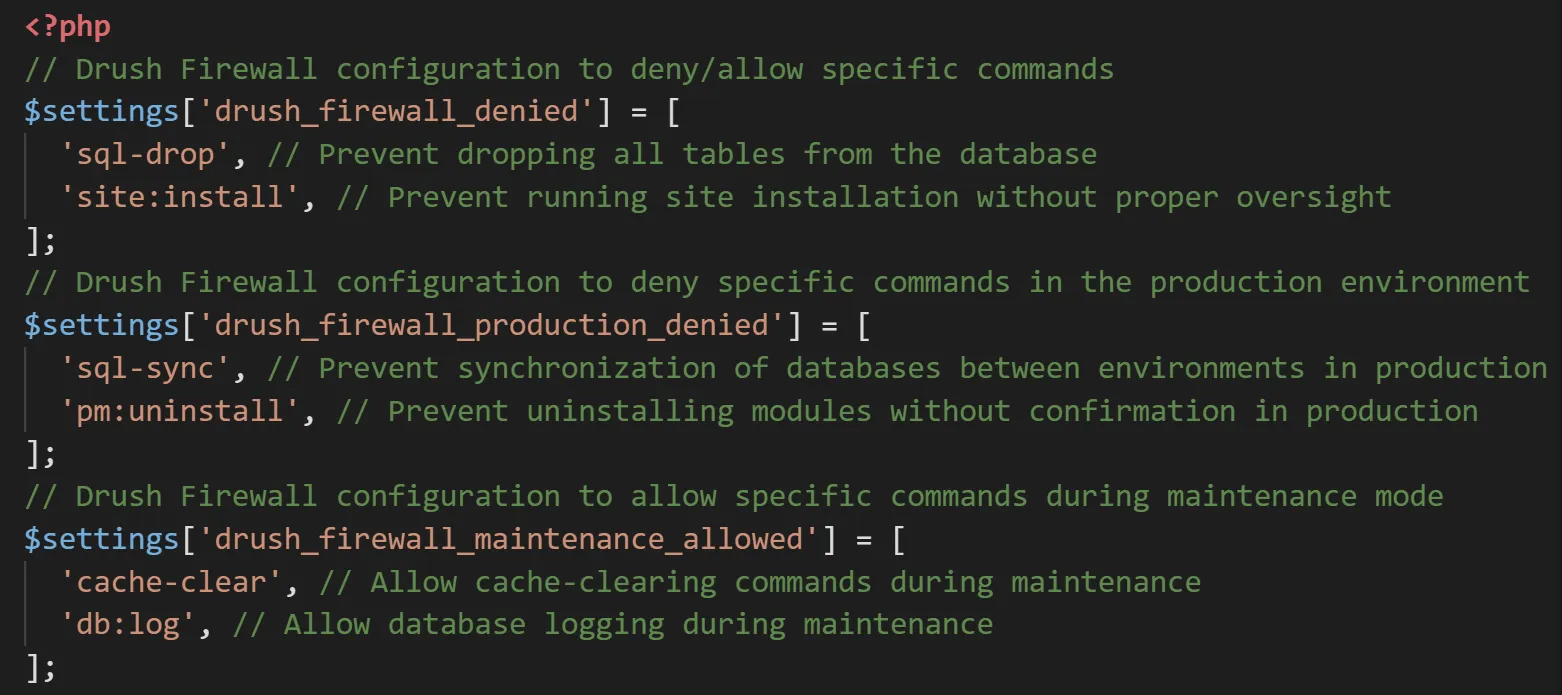
By introducing control over which commands can run (and when), you reduce the risk of accidental changes while keeping the speed and flexibility that Drush offers. Luckily, there is a reliable module that helps manage command execution.
It enables you to configure the denied and allowed commands in three modes:
- across all environments (global settings)
- on a live website
- in maintenance mode
This adds more flexibility because certain commands can be more risky in specific environments. If you’d like to learn more about this tool and walk through the steps of using it with code examples, read the full article about the Drush Firewall module.
Final Thoughts
By combining the right modules with smart practices for your Drupal website security, you can build a strong foundation of protection. For the most comprehensive results, consider working with a dedicated Drupal team for ongoing website security and maintenance. Let your site remain safe, reliable, and resilient against evolving threats, giving you peace of mind to focus on what’s important, your company’s growth.