
Mastering Robots.txt: An Essential SEO Tool for Your Drupal Site

When we think of robots, we often picture shiny machines whirring around in sci‑fi movies, or perhaps we think of something that is gradually becoming part of our reality. But not all robots are mechanical. In the world of SEO, search engine bots are tiny robots exploring your Drupal website, and with the right guidance, you can make sure they stick to the paths that matter. Here is where a small text file named “robots.txt” comes in.
In this article, we’ll explore robots.txt step by step. We’ll start with a clear definition and explain what makes it an essential part of good SEO. Then, we’ll focus on how Drupal specifically handles robots.txt, what elements this file includes, and how to manage it in both a tech-savvy and a user-friendly way.
What is robots.txt?
Robots.txt is a small text file on your website that includes information for search engine bots on which parts of your site they can crawl and which areas they should skip. It implements the Robots Exclusion Protocol, a standard followed by most search engines.
It’s important to note that robots.txt does not secure or hide pages from real visitors. Instead, it simply provides instructions to automated crawlers like Googlebot or Bingbot, guiding them on how to explore your site efficiently.
Why robots.txt matters
Search engines automatically crawl websites to discover and index content. Without clear guidance, they may spend time crawling pages that bring little or no value, such as:
- admin and technical pages
- internal search results and filtered URLs
- duplicate or automatically generated pages that were never intended for search results
A well-crafted robots.txt file helps ensure that:
- crawl budget (the limited attention search engines give your site) isn’t wasted on low‑value content
- important pages get the priority they deserve
- your site’s visibility in search results stays strong and undiluted
- server resources aren’t strained by unnecessary crawling
To sum up, Robots.txt guides search engines to focus on your most valuable public-facing content while safely ignoring the rest.
Managing robots.txt in Drupal
The good news is that Drupal already handles much of the heavy lifting when it comes to robots.txt. Here’s how it works.
Drupal’s default robots.txt
Out of the box, Drupal ships with a sensible default robots.txt file. These settings provide a solid foundation for most sites, ensuring that search engines crawl them efficiently.
When to edit robots.txt
In some cases, you might need to make adjustments as your site evolves. Common situations where updates are useful include:
- new sections or pages: if you add an area of the site that should remain private (like a staging section, internal tools, or admin-only pages)
- removed or reorganized content: when URLs are deleted, or paths change
- new file directories or media: if you add folders for images, downloads, or scripts that don’t need to be indexed
- SEO strategy changes: for example, if you want search engines to focus only on certain sections, or if you restructure categories
- switching from single-site to multisite: each new site may need its own robots.txt file, especially if the content or structure differs (we’ll talk about specific options for multisite setups in more detail soon)
Robots.txt vs. other SEO tools
Robots.txt primarily affects crawling, not indexing (at least not directly):
- Crawling is when search engine bots visit your website and read pages.
- Indexing is when search engines analyze a page, decide whether it should appear in search results, and store it in their index.
Robots.txt influences indexing only indirectly. For example, if you block admin pages from crawling, search engines can’t read their content, so those pages usually won’t be indexed. But this isn’t guaranteed — a blocked page might still appear as a bare URL in search results if other pages link to it.
That’s why robots.txt is best understood as a set of directions for crawlers, not a tool for page‑level SEO decisions. For precise control over indexing and how pages appear in search results, Drupal relies on other SEO mechanisms, such as noindex / nofollow meta tags, canonical URLs, sitemap inclusion or exclusion, and more. Together, these tools complement robots.txt, ensuring both efficient crawling and accurate indexing.
The anatomy of robots.txt (with a real Drupal example)
Robots.txt relies on directives (like “User-agent,” “Allow,” and “Disallow”). You can use them to form rules for how search engine bots should crawl your site.
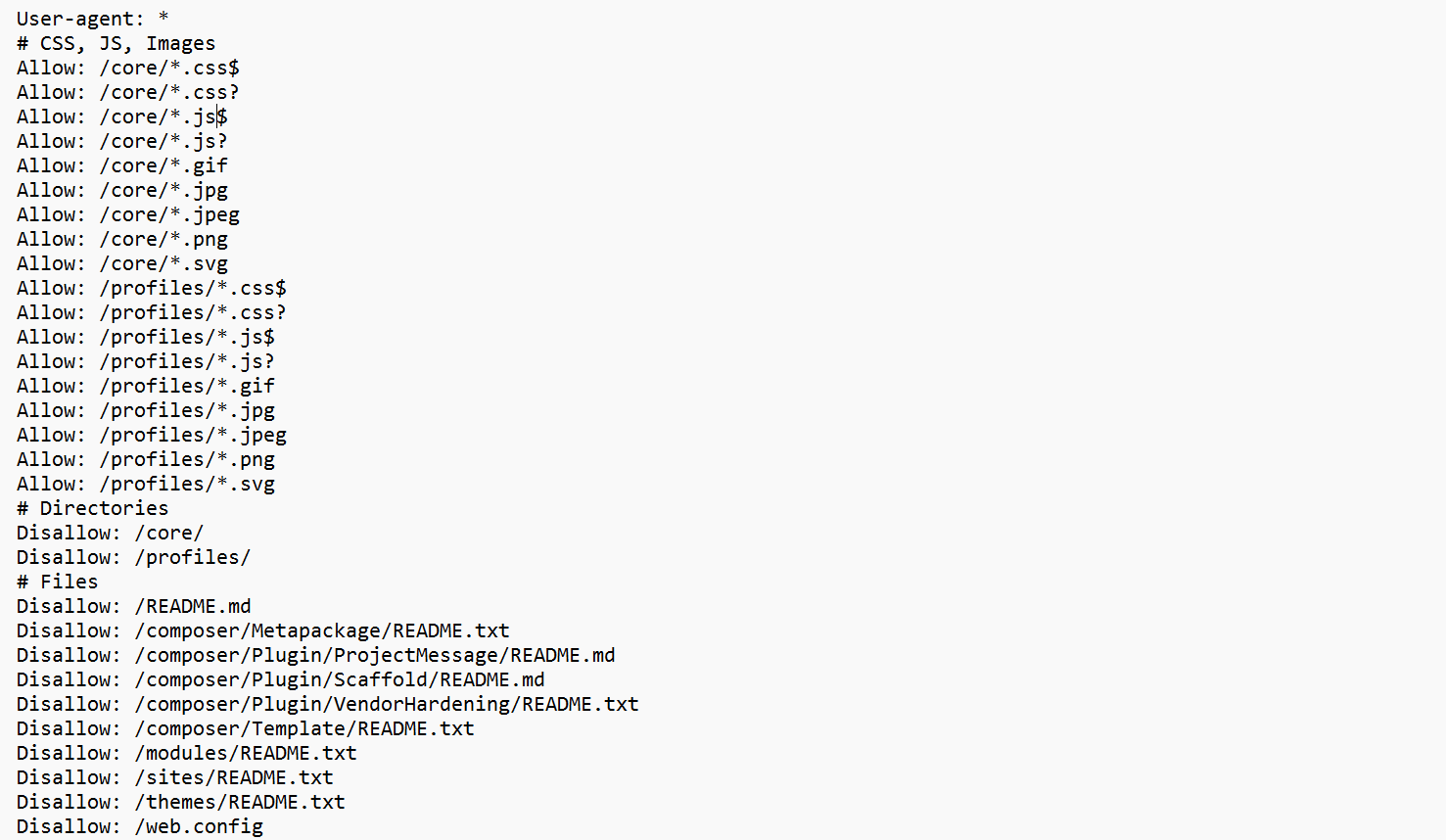
Drupal’s default robots.txt file already includes sensible rules, so it’s a great way to understand how they work in practice.
For human clarity, the rules in Drupal’s default robots.txt are organized by asset type, such as CSS, JavaScript, images, files, directories, and URL paths. For example, you’ll find a section labeled # Directories, grouping together rules that block or allow entire folders. This structure makes the file easier to read, safer to adjust, and less likely to cause SEO problems.
Search engine bots, however, don’t care about headings or order. What matters to them is rule specificity: when multiple rules apply to the same URL, the longer (more detailed) path takes precedence over a shorter one. We’ll look at examples of this in the next section.
The “User-agent” directive: who the rules apply to
The User-agent directive at the top of the file specifies which web crawlers the following rules apply to. In the default Drupal file, it looks like this:
User-agent: *
This means that all the following rules apply to all search engine bots, and it’s the most common choice.
The “Disallow” directive: where bots should not go
The Disallow directive tells bots not to crawl certain assets. You’ll notice many Disallow rules in Drupal’s default file, for example:
Disallow: /admin/
Disallow: /user/login
Disallow: /search/
These rules tell bots not to crawl administrative, user-related, or internal search results. Such pages are necessary for site functionality but rarely useful in search results.
Drupal also blocks technical files and directories:
Disallow: /core/
Disallow: /profiles/
Disallow: /themes/README.txt
These files help run the site but provide no SEO value, so excluding them helps bots focus on real content.
If there is no Disallow directive for a bot, that bot can crawl everything. If there is a Disallow: /, the bot is blocked from crawling anything.
The “Allow” directive: letting bots access important assets
On the contrary, the Allow directive, as the name suggests, allows bots to crawl certain assets. For example, even though system directories like /core/ are blocked, Drupal explicitly allows access to assets inside them:
Allow: /core/*.css$
Allow: /core/*.js$
Allow: /core/*.png
The “$” sign is a special character in robots.txt patterns that matches the end of a URL. For example, “Allow: /core/*.css$” means allowing any URL under /core/ that ends with .css (like /core/assets/style.css). As mentioned earlier, a URL is matched against all rules, and the most specific match wins, the longest path takes precedence.
Here is why this matters. Search engines need to see CSS, JavaScript, and images to understand how your pages look and function. Allowing them to crawl these files helps them render the page correctly, which can improve search ranking and indexing. At the same time, blocking directories like /core/ prevents bots from wasting time on system files that aren’t part of your public content and have no SEO value.
Clean URLs and compatibility rules
Drupal includes both clean URLs and older-style paths to ensure that administrative pages are blocked regardless of how the URL is formed. While modern Drupal sites typically use clean URLs (like /admin/), some servers or legacy setups may still expose paths that include index.php, so both are covered for completeness.
How to manage robots.txt via Drupal’s file system
In a standard Drupal installation, robots.txt is a static file located in the project root alongside files like index.php. The root of your website is the main top-level folder where the site lives and where key files are located.
This means robots.txt is served directly by the web server. Search engines can access it at https://example.com/robots.txt without Drupal loading first. This setup is intentional. Search engines expect robots.txt to be fast, simple, and always available, even if the site itself is experiencing issues.
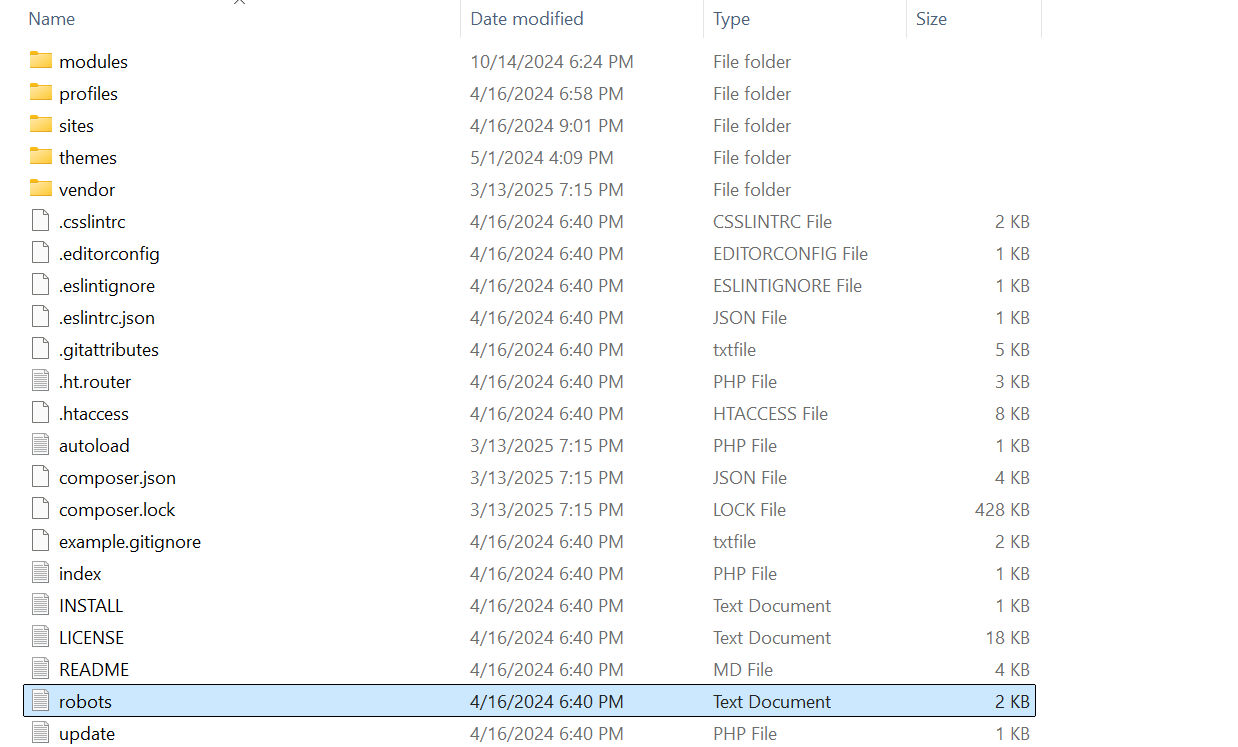
Managing robots.txt in Drupal usually means editing the file directly:
- Open the robots.txt file in your code editor.
- Adjust or add rules as needed.
- Save the file, then deploy it to your server so the updated version becomes part of your live site. (In practice, this means publishing the file the same way you would with any other code change, for example, committing it with Git or uploading it through your deployment workflow.
- Verify the result in your browser. Visit https://example.com/robots.txt to confirm the new rules are visible and correct.
Because it’s a simple text file, updates are easy to review and roll back if needed. Best practice is to track changes with Git, the widely used version control system for software development. This way, every edit is documented, and you can restore earlier versions if necessary.
There’s no hidden logic or configuration layer, what you see in the file is exactly what search engines read.
How to manage robots.txt via a Drupal module
Modules can make management easier, especially for editors who prefer a web interface or when more complex setups are involved. The Robots.txt module is the most widely used module that offers this approach.
The module’s impact is proven by the fact that it has been included with the SEO Tools Recipe, the curated SEO package in Drupal CMS, a special version of Drupal tailored to non-tech users.
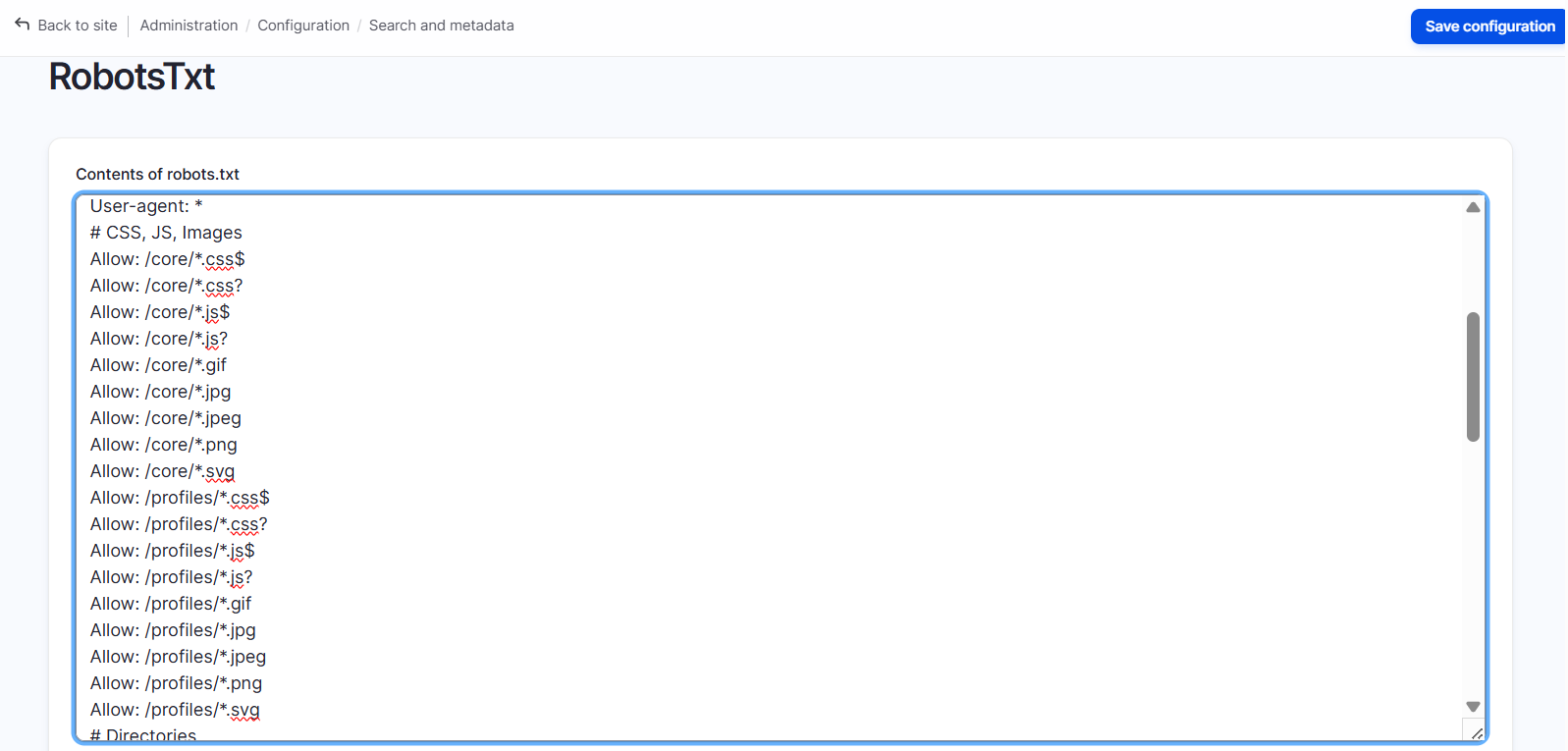
This module is especially helpful in multisite setups, where multiple Drupal sites share the same codebase. Each site can have its own robots.txt, generated dynamically and editable directly from the Drupal admin UI.
Best practices for robots.txt on Drupal sites
- Keep it simple. Only block paths that clearly shouldn’t appear in search results, such as admin pages, internal search, or technical directories.
- Avoid overcomplicating rules. Too many directives can confuse bots. Simplicity reduces errors and keeps bots focused on your important pages.
- Use trusted sources for rules. The default Drupal file is already safe and effective. There is also official search engine documentation where Google and Bing publish clear guidance on robots.txt syntax and best practices. SEO modules or generators can provide example rules and simplify configuration.
- Don’t block your entire site.
- Don’t rely on robots.txt for security, it only guides bots, it does not protect sensitive content.
Final thoughts
Robots.txt is your friendly assistant for dealing with search engines: it doesn’t do everything, but it ensures they spend their time on your website wisely. When used thoughtfully, it makes your site more discoverable, organized, and search-friendly. The impact of Robots.txt is significant, especially when combined with other Drupal SEO practices. Discover more about great tools and techniques in our collection of SEO insights, or get in touch to learn how our Drupal search optimization services can help optimize your site’s visibility.