
Accessibility and SEO in Drupal: Working Better Together

Implementing accessibility best practices on your Drupal website and taking care of search engine optimization may seem like separate priorities. In reality, they are more closely intertwined than you might expect.
Accessibility and SEO can reinforce each other in powerful ways. By making your website accessible, you can get great search results as an added benefit. On the other hand, SEO friendliness ensures a smoother experience for all users while helping you meet compliance requirements.
Search engines and assistive devices rely on similar signals to understand and navigate your content. And, of course, the overall “health” of your website, how well it’s formatted, structured, and easy to use, is beneficial across all areas. Let’s take a closer look at the key ways in which accessibility and SEO work together to deliver a double benefit for your site, and how Drupal supports this.
How accessibility and SEO enhance each other in Drupal
Semantic HTML and proper markup
Relying on semantic HTML is one of the most surefire ways to make your Drupal site both accessible and search‑friendly. Semantic HTML means using tags in the HTML markup of your pages that accurately describe the role and meaning of content elements. Examples of these elements include a header, a footer, a bullet list, a blockquote, a heading, a section, and so on.
With proper semantic tags in place, your content is easier to interpret for both search engines and assistive technologies:
- Screen readers can announce lists, buttons, form fields, links, regions, and other elements to users. This lets them move efficiently to the parts they care about and reach their goals. For example, they can skip optional page sections straight to the main content, successfully fill out a form, or know where a link will lead before activating it.
- Search engines rely on semantic HTML to understand the structure and importance of your content. For example, headings show the content hierarchy, and lists show relationships between items. These signals help crawlers index your site more accurately, decide which content deserves emphasis, and display the right snippets in search results.
Drupal developers can define semantic markup in templates and layouts, and Drupal’s use of modern HTML5 makes this straightforward and seamless. Content editors also add semantic HTML markup to content on an everyday basis, even without knowing the tags. WYSIWYG text editors like CKEditor 5 enable them to easily add headings, lists, tables, and so on.
A clear heading hierarchy
Mentioned as part of semantic HTML, headings also deserve a special section in this article. Having a clear heading hierarchy helps you create the logical flow of your content — and let search engines and screen reader users understand it better.
You can structure your content with headings from H1 down to H6, each showing the relative importance of the section. The H1 should describe the main topic of the page, while H2s, H3s, H4s, H5s, and H6s break content into logical subtopics.
For people using screen readers, this hierarchy acts like a table of contents. They can jump directly between headings to find the section they need, instead of listening to the entire page line by line.
For search engines, headings are strong signals of what your content is about. Keywords in headings are often treated as more relevant, and a logical structure helps crawlers understand how topics relate to each other.
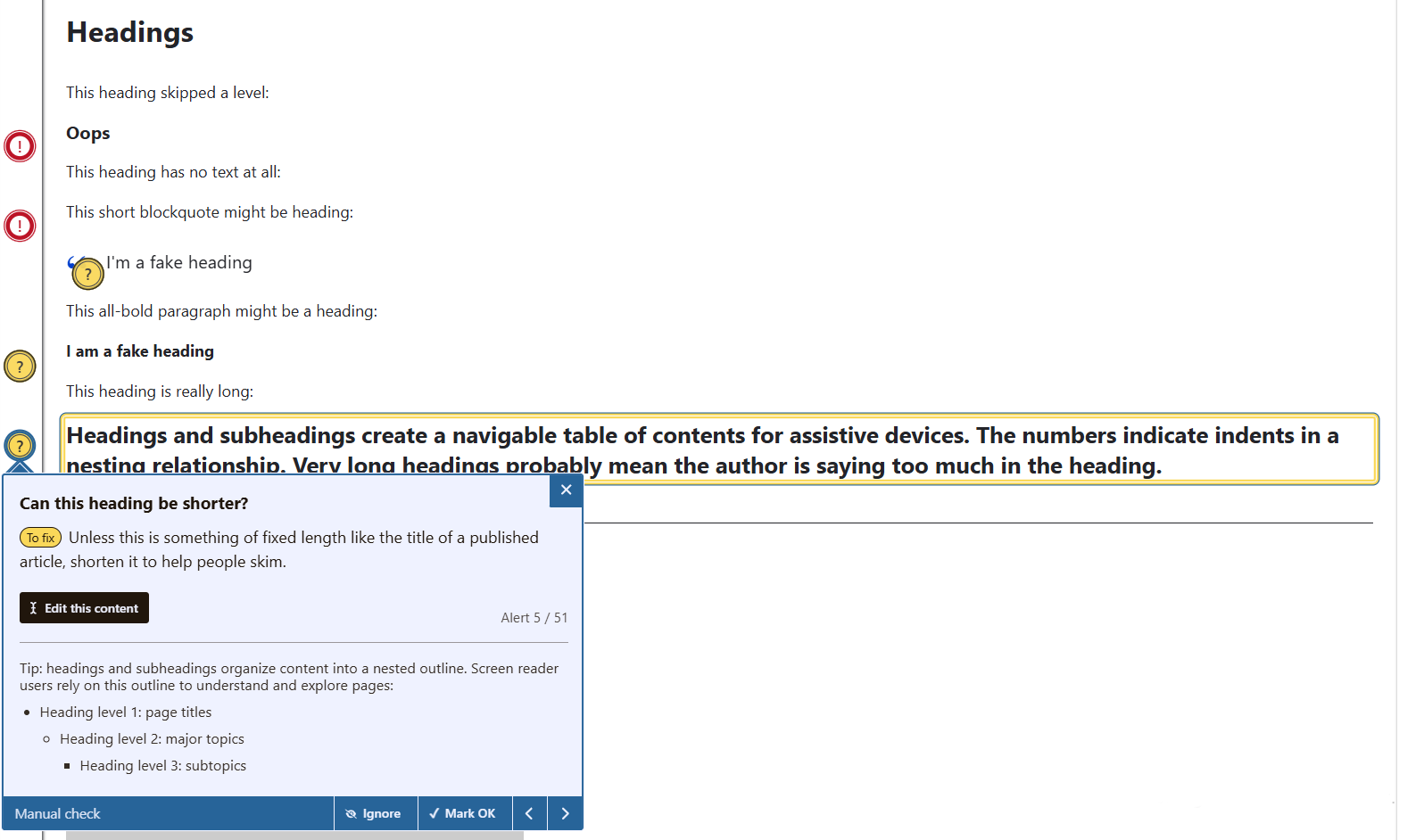
That’s why both accessibility and SEO tools, like the Editoria11y Accessibility Checker module, the Real-Time SEO module, or the AI SEO Analyzer module, remind you about the proper headings. For example, you’ll be notified if you accidentally create empty headings while formatting your content, if your headings are missing keywords, if you need to double-check whether your headings shape a strong outline, and so on.
Alternative text for images
Images can carry important meaning, but without alternative text, that meaning is lost for users who can’t see them. Adding concise, descriptive alt text ensures screen readers can announce what the image represents. For example, instead of “image123.jpg,” use “Drupal logo” or “A group of people in a conference room.” This makes alt text an essential part of creating accessible content.
Search engines also rely on alt text to understand images, since they can’t interpret visuals directly (although this might be a thing of the near future). Well‑written alt text improves your site’s visibility in image search and strengthens overall SEO.
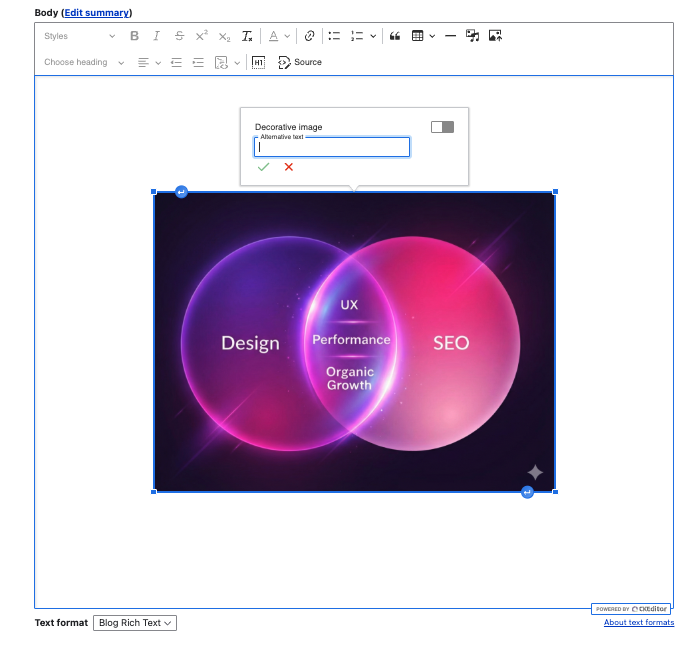
In Drupal, editors can add alt text easily when uploading images to the Media Library for further reuse or directly to the content editing form, either inline or as a field. CKEditor 5 offers a user-friendly balloon panel that makes it easy to add alt text on the fly and override it at any time. It makes sure you don’t miss an alt text by showing you the “Add missing alternative text” warning. Alternatively, you can mark images “decorative” if they don’t carry any specific meaning, and you won’t be required to add alt text.
Modules like the above-mentioned Editoria11y Accessibility Checker module will also remind you about the missing alt text across the entire page. Furthermore, the adoption of AI capabilities in Drupal is in full swing, so you might also consider using AI tools to generate alt text for your images, either on demand or automatically. They include the AI module, the AI Image Alt Text module, the Automatic Alternative Text module, and more.
Descriptive link text
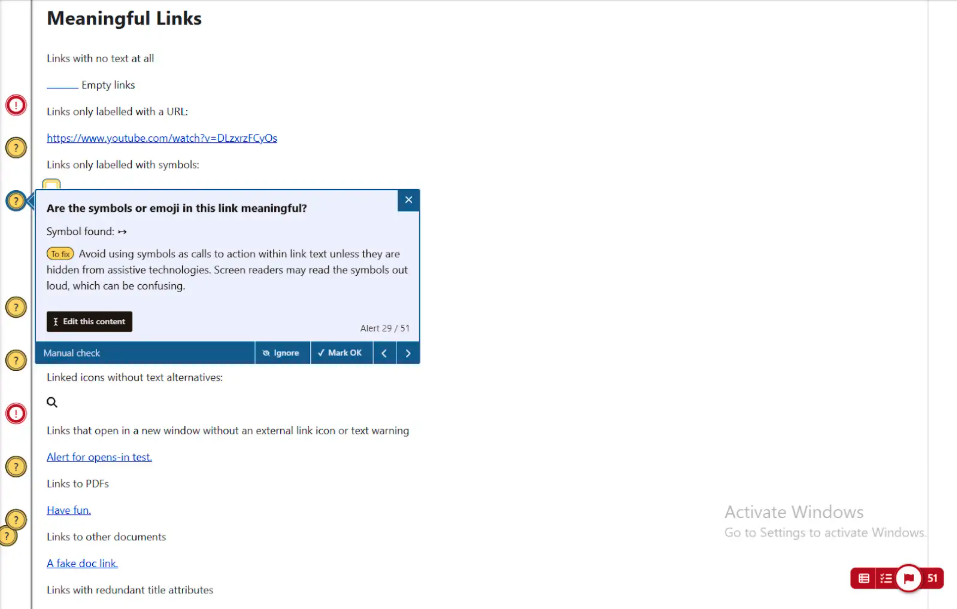
Links are more than just clickable words — they’re promises of where the user will go next. Using descriptive link text makes your site easier for everyone. By making link text descriptive, you make it easy for both users and search engines to navigate your site with confidence.
Screen readers announce the link text out loud, so “Click here” or “Read more” doesn’t provide enough context. Instead, write links that explain the destination, like “Download the annual report” or “Learn more about Drupal accessibility.”
Search engines also use link text to understand how pages are connected. Using meaningful link text containing the keywords that are relevant to the target page is a can’t-miss chance to boost your search results. Clear, keyword‑rich links help crawlers build a map of your site.
Drupal’s CKEditor offers a straightforward way to add or edit links. Helpful SEO and accessibility modules like Editoria11y Accessibility Checker, AI-driven tools like AI SEO Analyser or others, can give you additional support or streamline your work.
Readable and clear content
Readable content is the heart of accessibility and SEO. Short sentences, clear language, and logical organization make your site easier to understand for everyone, including users with cognitive or language barriers. Screen readers handle clear text more smoothly, and users can follow along without confusion.
Search engines also reward readability. Pages that are easy to scan tend to keep visitors longer, which improves engagement signals. Breaking content into paragraphs, using bullet points, and avoiding jargon are small steps that make a big difference.
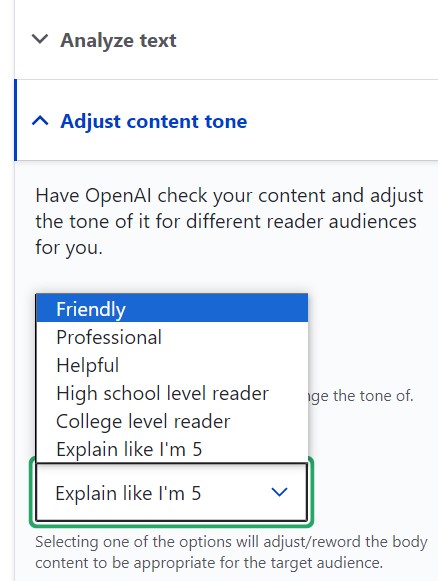
You can rely on modules like Real-time SEO that will give your content a specific readability score, as well as harness AI tools on your Drupal website that you can prompt to review and improve your content’s readability. For example, the OpenAI module has an interesting feature in the text editing form: “Adjust content tone” with the “Explain like I’m 5” option. The main development for the OpenAI module is now happening in the AI module. In any case, AI potential for improving your Drupal content’s readability and clarity is outstanding.
Page performance
Page performance is one of the clearest ways accessibility and SEO work hand in hand. A slow site frustrates everyone, but it can be especially challenging for users relying on assistive technologies, since screen readers and other tools struggle with heavy pages. Search engines also measure speed directly through Core Web Vitals, making performance a ranking factor.
Drupal provides multiple solutions to keep sites fast. Just to name a few, among the top built-in tools are Internal Page Cache, Dynamic Page Cache, and BigPipe (to deliver cached content quickly), and responsive image styles (to automatically serve the right size for each device). Images always need special attention when it comes to page speed, and there are a variety of tools and techniques for Drupal image optimization.
It must be noted that Drupal continued improving page speed with each new version, so Drupal 11.3 became the biggest performance boost in a decade. This version delivers up to 33% faster page rendering compared to Drupal 10, making the best use of features like PHP Fibers, using placeholders, caching improvements, HTMX support, and more.
Transcripts for multimedia
Multimedia content is powerful, but users need alternative ways to perceive it. You can improve your multimedia accessibility on your Drupal website with the help of elements such as transcripts, subtitles, captions, and audio descriptions.
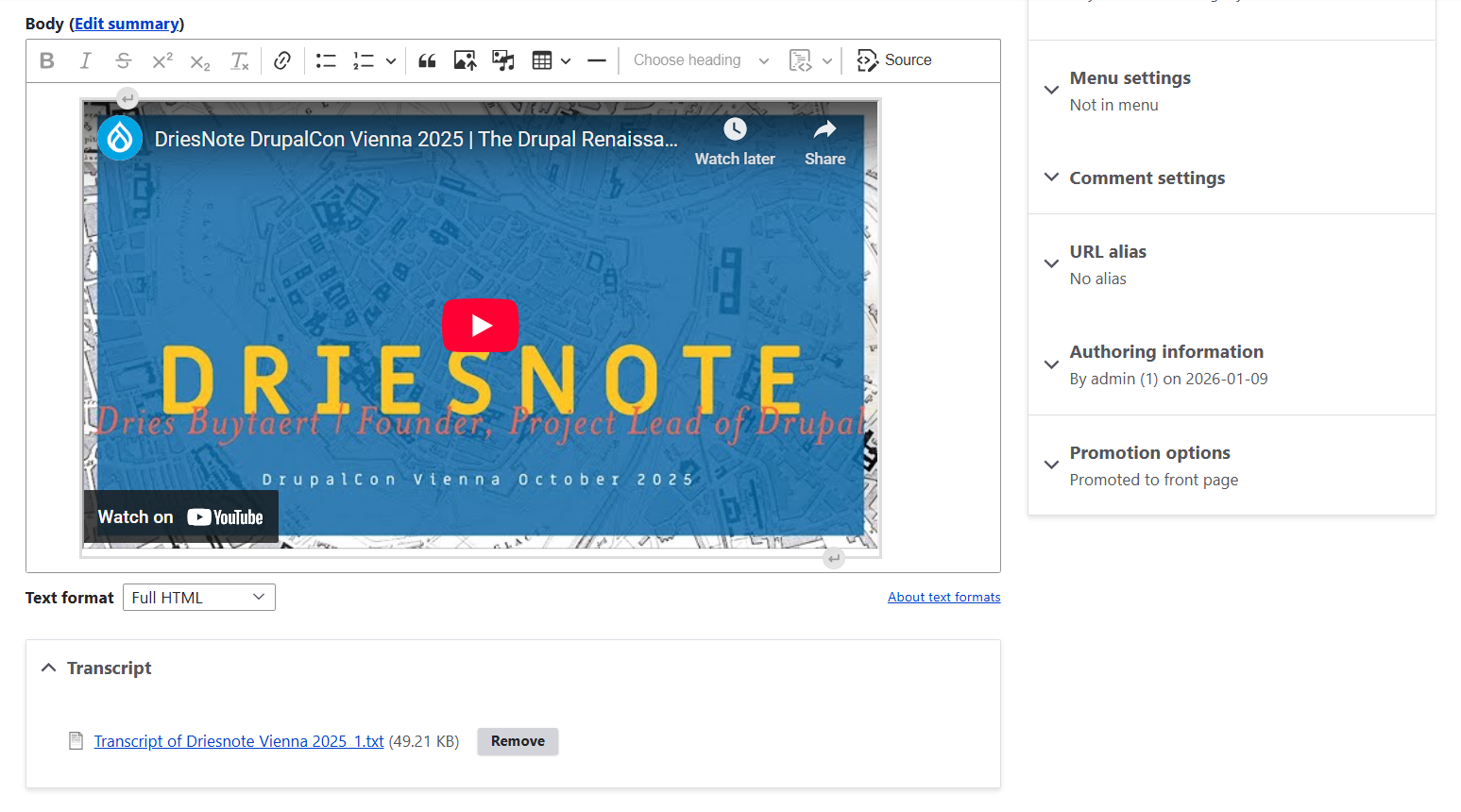
From an SEO perspective, transcripts, or comprehensive written records of all audio elements in a video/audio file, are especially valuable. They provide indexable text that search engines can crawl, improving keyword relevance and discoverability.
In addition to relying on Drupal’s robust system of creating various media types, you can use straightforward ways of adding transcripts to videos: via a field for a text file attached to a media type or a content type.
And more
You might also want to pay attention to the following features and practices that will benefit your Drupal website’s accessibility and SEO:
- Mobile accessibility and responsive design. It ensures that page layouts adapt to different screen sizes. Search engines rank mobile performance highly.
- Structured data and ARIA roles. They will add extra meaning to the HTML markup of your content pages.
- Keyboard accessibility, form accessibility, and easy navigation. They can help your website generate more conversions and stronger engagement signals.
The key link between accessibility and SEO
We’ve explored several ways accessibility and SEO practices support each other, but there’s one principle that ties them all together.
When your Drupal website is easy to navigate and usable by everyone, visitors stay longer, interact more, and build trust in your content. This aligns closely with what search engines value, strengthening your site’s visibility and performance in search results.
That being said, the most effective way to enhance both accessibility and SEO is to focus on delivering the smoothest possible experience and the greatest value to your users. Once that priority is clear, the technical implementation becomes a matter of execution. And the benefits, from happier users to improved search rankings, will follow quickly.
If you need support on this journey, our Drupal team is ready to help.