
Smart Content Curation for Your Nonprofit Website
Your to-do list is longer than your work week. Between creating email campaigns, planning events, and responding to countless requests for new collateral, there's barely time to breathe. You know your website needs fresh, engaging content, but creating everything from scratch feels impossible.
The good news is your website can still be the content-rich resource you want it to be without a full-time writer, video production team, or in-house designer.
Content curation is the answer. 86% of nonprofit marketing professionals recognize content marketing as essential, but creating enough content remains one of the biggest challenges facing resource-constrained organizations. A smart content curation strategy solves that problem.
This guide shows you how to build a content curation strategy that works for your nonprofit, even with limited time and budget.
- What Is Curation of Content?
- Why Content Curation Strategy Matters for Nonprofits
- The Content Curation Process: How Nonprofits Can Curate Content Effectively
- 5 Content Curation Tips: Practical Implementation for Nonprofit Teams
- Content Curation Tools and Platforms for Nonprofits
- Real-World Examples: How Nonprofits Successfully Curate Content
- Make Your Nonprofit Content Strategy Work
What Is Content Curation?
Content curation means gathering relevant content from other sources and sharing it with your audience. You're not creating everything from scratch. Instead, you find valuable information that already exists, select the best pieces, and share them with context that matters to your mission.
The difference between creating and curating is straightforward. Creating means producing original blog posts, videos, or infographics. Curating means finding existing content and sharing it with your perspective added. For nonprofits with limited resources, curation lets you maintain an active web presence without needing a full production team.
Why Content Curation Strategy Matters for Nonprofits
Content curation delivers measurable benefits that make the effort worthwhile. Here's what it does for your organization.
Build Credibility and Position Your Nonprofit as a Trusted Resource
Curating relevant content establishes your organization as an authority in your field. When you consistently share valuable information about your cause, you show that you're engaged in the broader conversation beyond just your own programs.
The key is adding your perspective, not just sharing links. Explain why each piece matters to your mission and your community. A 150-200-word introduction that provides context turns generic sharing into thoughtful curation that builds trust.
This approach creates a personalized, high-quality user experience that keeps people coming back to your site as a trusted resource.
Content Curation Improves Your Nonprofit Website's SEO
Curating content boosts your search engine visibility in ways many nonprofits don't realize. When your site provides valuable resources through a mix of original and curated content, search engines view you as a more useful destination.
External links to credible sources actually help your search engine optimization. Sites that share quality resources get ranked higher than sites that only talk about themselves. Linking to authoritative sources in your field signals that you're part of the broader ecosystem of information about your cause.
Expand Your Content Variety Without Expanding Your Budget
Other organizations have already produced expensive, professional content you could never create yourself. Content curation lets you benefit from their production efforts while adding your mission-driven perspective.
Consider the homeless shelter operating on a bootstrap budget. They focus primarily on meeting the daily needs of people seeking help. They don't have three months to research and produce a video telling the story of a homeless camp the way The New York Times did.
But they can feature that piece on their website. Write an introduction explaining how it connects to their work. Share it with donors via email. Post it on social media with context about local homelessness challenges. This lets them weigh in on issues that matter while leveraging content they could never produce themselves.
Videos, podcasts, data visualizations, long-form articles, and infographics. All available to share with your perspective added. Your audience gets diverse content formats without you needing diverse production capabilities.
The Content Curation Process: How Nonprofits Can Curate Content Effectively
To curate content well, you need to follow a systematic process that aligns with your mission and serves the audience's needs.
Curated content generates significantly more engagement than brand-only content, but only when you add your organization's unique perspective and context.
Identify Your Nonprofit's Content Pillars
Start by defining 3-5 core topics that align with your mission. These content pillars become your curation focus areas. Every piece of content you curate should fit within at least one of these pillars.
A homeless shelter might choose:
- Affordable housing policy
- Mental health resources
- Job training programs
- Food security
- Community support systems
Your strategic planning documents can guide this selection. What issues does your organization address? What topics do your program staff discuss regularly? What information do your supporters and beneficiaries need most?
People engaging with your cause also want to understand the bigger picture. They want context, trends, solutions, and stories that help them make sense of complex issues.
Content pillars keep your curation focused and relevant and prevent you from sharing random interesting articles that don't connect to your mission.
Find Quality Sources Through Social Listening
Social listening means listening to and engaging in conversations beyond your organization's immediate bubble. You track industry trends, follow thought leaders, and pay attention to what people are discussing in your area.
This helps you find quality content before it goes mainstream.
Set up Google Alerts for key terms related to your cause. A youth development nonprofit might monitor: youth mental health, after-school programs, teen employment, juvenile justice reform, and educational equity.
Use social media monitoring tools like Hootsuite or Mention to track conversations around specific hashtags, keywords, or accounts. Follow journalists covering your issue area. Watch what other nonprofits in adjacent spaces are sharing.
Pay attention to your competitors and peer organizations. Not to copy them, but to understand what's resonating in your field. What content gets shared frequently? What topics generate discussion? What gaps exist in the available information?
Evaluate and Select Share-Worthy Content
Not everything you find deserves to be shared. Quality assessment is important for maintaining credibility with your audience.
Ask these questions before curating any piece of content:
Is the source credible?
Look for established publications, academic institutions, respected nonprofits, or recognized experts in the field.
Is it relevant to your audience?
Just because something relates to your cause doesn't mean your specific audience needs to see it. Would your supporters, beneficiaries, or community members find this valuable?
Does it align with your values?
Make sure the content reflects perspectives consistent with your organization's mission and approach. You don't need to agree with everything, but you shouldn't promote content that contradicts your core values.
Is it current?
While some evergreen content maintains value, most curated content should be recent.
Does it add something new?
If you've already shared similar content recently, another piece on the same topic may not serve your audience unless it offers a fresh angle or significantly more depth.
Can you add meaningful context?
If you can't explain why this matters to your community or how it connects to your mission, it's probably not worth sharing.
Add Your Nonprofit's Unique Perspective
Your perspective is what makes curated content worth featuring on your site rather than just posting a link on social media. There are three main ways to infuse your perspective in the content you curate:
- Summarizing - Highlight the main points in your own words. Pull out the key findings, arguments, or stories and present them clearly in your introduction.
- Contextualizing - Explain why this matters to your community. How does this content relate to your work? What should your audience take away from it? Why did you choose to share it now?
- Annotating - Add your own insights and commentary. What do you agree with? What needs additional nuance? What questions does this content raise for your organization or cause?
This approach respects the original creator's work while adding value for your specific audience. You're not plagiarizing or pretending the work is yours. You're serving as a knowledgeable guide who helps your community understand why this content deserves their attention.
5 Content Curation Tips: Practical Implementation for Nonprofit Teams
Theory is great, but implementation is what matters. These five practical tips help you build a curation system that works with your nonprofit's resources and workflow.
1. Set Up Google Alerts for Your Nonprofit's Focus Areas
Google Alerts delivers relevant content directly to you instead of requiring constant manual searches.
Create a dedicated email address for content curation alerts. Something like contentcuration@yournonprofit.org keeps these notifications separate from your day-to-day work email.
Set up alerts for each of your content pillars. If you're a food bank, create alerts for food insecurity, food deserts, nutrition assistance programs, hunger statistics, and food rescue. Include your organization's name and competitor names to monitor mentions and track what similar organizations are doing.
Start with daily digest alerts rather than immediate notifications. Scan the digest when you have 10-15 minutes, flag anything promising, and evaluate it more carefully later.
2. Use RSS Feeds to Aggregate Content Sources
RSS feeds pull content from multiple sources into one easily scannable location. An RSS reader like Feedly or Inoreader lets you subscribe to blogs, news sites, and publications relevant to your cause. Content from all your subscribed sources appears in one feed, sorted by date.
Organize feeds by topic or content pillar. Create separate folders for each focus area so team members can easily find content relevant to their expertise.
3. Assign Content Topics to Team Members in Your CMS
Distributing curation responsibilities prevents bottlenecks and brings diverse perspectives to your content. Different team members naturally follow different sources and notice different angles on your cause.
Use your CMS's taxonomy and workflow features to assign content topics to specific people. If you use Drupal or another robust content management system, you can tag content by topic and automatically notify the appropriate person when new content needs their review.
An education nonprofit might assign literacy content to their reading program manager, STEM content to its after-school coordinator, and family engagement content to their parent outreach specialist. Build in automated workflows that track whether content is awaiting review, in progress, ready for approval, or published.
4. Build a Content Curation Dashboard
A dashboard gives you at-a-glance insight into your curation workflow. Configure yours to show what's awaiting review, what's currently assigned and to whom, and what's ready for publication.
Use the dashboard in weekly content meetings. Review what's in progress, identify bottlenecks, and make decisions about priorities. This keeps everyone aligned without requiring constant email updates.
5. Create Automated Workflows for Review and Publishing
Set up a workflow where curators submit their completed content to a moderator or editor. This person checks that the introduction follows brand guidelines, adds appropriate SEO elements, and verifies that attribution and links work correctly.
Your workflow should include these checkpoints:
- Does the introduction clearly explain why this matters?
- Is the source properly credited with a clear link?
- Are we using our organization's voice and tone?
- Have we added relevant tags and categories?
- Is this optimized for search engines?
- Does this align with our content calendar?
Schedule curated content strategically. Don't publish everything at once just because you have it ready. Space it out to maintain consistent activity on your website and social channels.
Content Curation Tools and Platforms for Nonprofits
Start with free or low-cost tools that fit your current workflow:
Scoop.it and List.ly — Organize content around specific themes and create curated topic collections.
Buffer — Schedule posts and manage all of your social platforms in a single, easy to use interface.
Feedly — Subscribe to blogs and publications in one RSS feed so you can review new content without visiting individual websites.
Start simple and add tools only when needed. A basic system used consistently beats a complex system that sits unused.
Real-World Examples: How Nonprofits Successfully Curate Content
These nonprofits demonstrate different approaches to content curation, each adapted to their specific mission and audience.
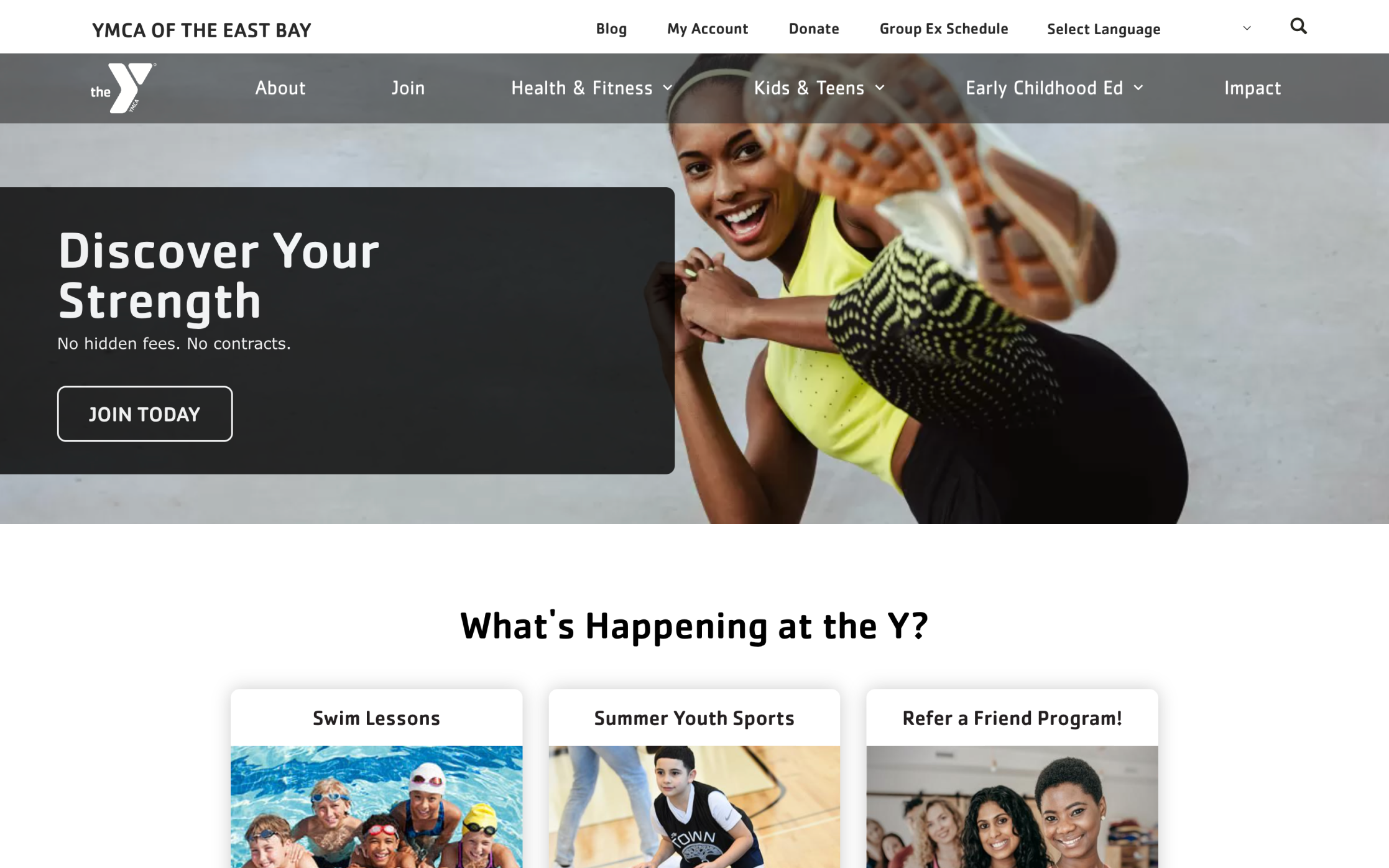
YMCA of East Bay's Content Strategy
The YMCA of East Bay weaves storytelling with curated content to create a comprehensive resource about community health, youth development, and family wellness.
Their approach balances original stories about member successes with curated articles about health trends, parenting research, and community development strategies. They don't just share links. Each curated piece includes context about how it relates to their programs and why it matters to their community.
This strategy contributed to measurable increases in website engagement. People visiting to learn about membership stick around to read curated content about health and wellness. This positions the YMCA as a trusted community resource beyond just a fitness facility.
Their content strategy demonstrates that curation works best when integrated with original content, not as a replacement for it. The curated pieces complement and enhance their original storytelling.
Make Your Nonprofit Content Strategy Work
Content curation offers resource-constrained nonprofits a practical path to maintaining engaging, valuable websites without requiring full production teams.
The return on investment is clear: Better search visibility brings new supporters, and consistent, valuable content keeps existing supporters engaged.
This positions you as a knowledgeable resource worthy of trust.
But you should start small. Choose one content pillar and set up basic Google Alerts. Assign one team member to experiment with curation for a month. Learn what works before trying to build a system.
Getting content strategy right requires understanding your audience, your mission, and your capacity. If you need help developing an approach, an expert external partner can assess your current content, identify opportunities, and build a strategy.
Your website should be the useful resource your community needs. Ready to discover what's possible?
Connect with us to explore how strategic content curation can strengthen your digital presence.