
Managing Content-Rich Drupal Sites: Great Tools You Can Use

Every page with insightful content is a fresh opportunity to engage, inspire, and inform your audience. Plus, the more valuable content you have, the better your chances of ranking higher in search results. That’s how websites with hundreds — or even thousands — of pages can become true online powerhouses for their organizations.
Of course, there’s a flip side to a content-rich site: managing all those pages takes more time and effort. But with the right tools, the process can be easier, more streamlined, and even automated — especially if you’re using what Drupal has to offer.
We love shining a light on Drupal’s most useful tools. With many clients in sectors like higher education, nonprofits, and government & public, and many others working with enterprise sites, we understand the unique challenges of large-scale websites — and we’re here to help. Let’s explore this collection of tools designed to help you manage your content-rich Drupal site effortlessly.
Managing content-rich websites with useful Drupal tools
Bulk-updating content element across the entire site
In a busy organization, content is always evolving — things can’t stay static. Often, you’ll need to update a specific detail across multiple pages: the speaker’s name for a lecture series, the contact email for volunteer programs, the location of upcoming events, and more.
You don’t have to edit each content item one by one! A lightweight, editor-friendly tool can update any element across multiple content pieces in a single step. Enter the Field Defaults module created by our Software Architecture Director, Bryan Sharpe.
The module works on the Drupal field level, which means you can change almost any element: text, titles, numbers, links, usernames, and more. While we refer to “content” in general, Field Defaults can also handle user accounts, media types, taxonomy terms, and other Drupal entity types with fields. You can choose whether the new value applies to existing content, whether to retain the original “updated” time, and other options.
Learn more about the module’s features and follow a step-by-step guide in our article on bulk-updating Drupal content with the Field Defaults module.

Scheduling content to be published/unpublished
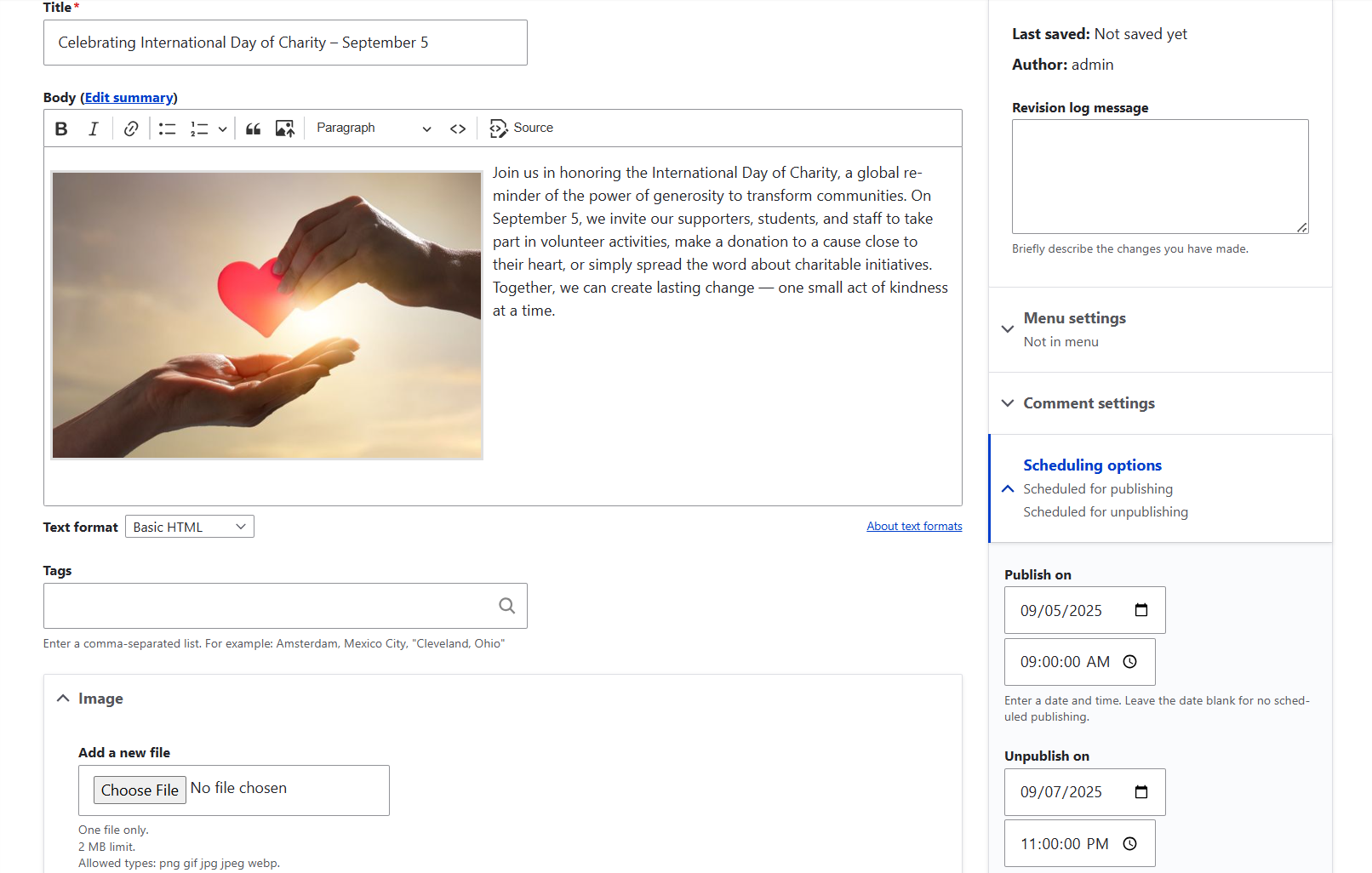
There are plenty of situations where you need a piece of content to go live — or be unpublished — on a specific date. Fundraising campaigns, grant application windows, awareness-day content tied to special occasions, or time-sensitive news releases are just a few examples.
When your website is buzzing with content, keeping track of all these dates can quickly become overwhelming. Sure, you could create reminders, but what if your Drupal site could handle publishing and unpublishing automatically? That’s exactly what the Scheduler module does — a true dream tool for editors working with content-rich websites.
With Scheduler, you can set a piece of content to publish or unpublish directly in the editing form. That’s it — no extra steps required. The module performs the scheduled actions automatically at regular intervals thanks to its built-in task runner, Lightweight Cron. You can configure Scheduler to allow editors to select just a date with a default time, or specify an exact time for more precision. Discover our detailed guide on scheduling your Drupal content for publishing or unpublishing.
Optimizing your images for fast loading and visual presentation
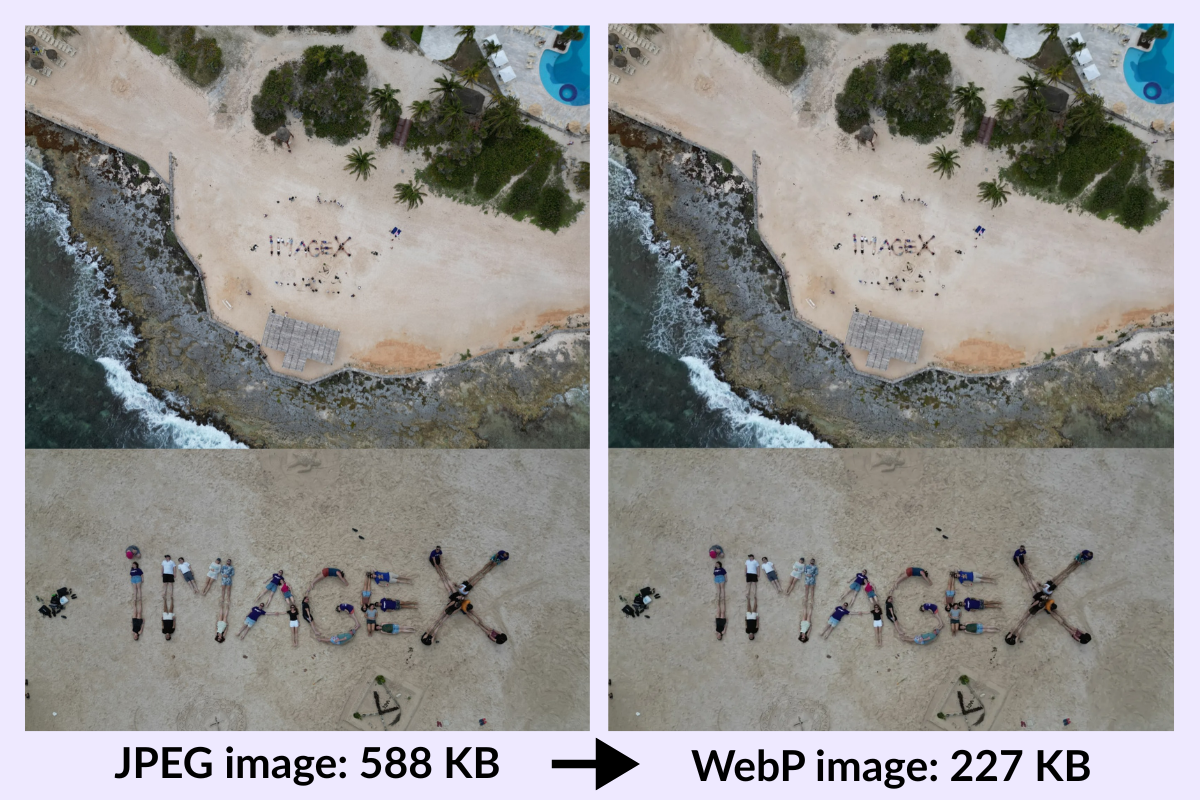
Content-rich websites often feature many images because they grab users’ attention and help convey your message. But to ensure images are both visually appealing and fast-loading, proper image optimization is essential.
You can set up automatic cropping and scaling so images appear at the right dimensions across different layouts. When cropping automatically, it’s crucial to preserve the important parts of the image. You can also apply special effects, add watermarks, use SVG formats, and more. Tools such as Drupal core Image Styles, Focal Point, Image Widget Crop, Crop API, Image Effects, Basic Watermark, SVG Image, and others make all this possible. Discover the key techniques for optimizing images for visual presentation.

To make your images load faster, you could convert them to the lightweight WebP or AVIF formats, compress or resize them without losing quality, configure them for lazy-loading so they only load when they appear in a user’s viewport, and more. Among the modules that support these techniques are ImageAPI Optimize, WebP, ImageAPI Optimize WebP, Image Resize Filter, Lazy-load, Lazy Views, and, of course, Drupal core capabilities. We explore in more detail how to use all these tools to make your Drupal images performance-friendly.
Creating and configuring an XML sitemap
For content-rich websites, search engines need a map to find and index your pages efficiently. This map, in a specific XML format, is easily read by crawlers. By providing search engines with a well-structured sitemap of your important pages, you gain several benefits:
- better indexing for all pages, including those that are harder to discover
- faster indexing of new or updated content
- increased chances of appearing in rich snippets through structured data
- additional insights from tools like Google Search Console on how your pages are crawled and indexed
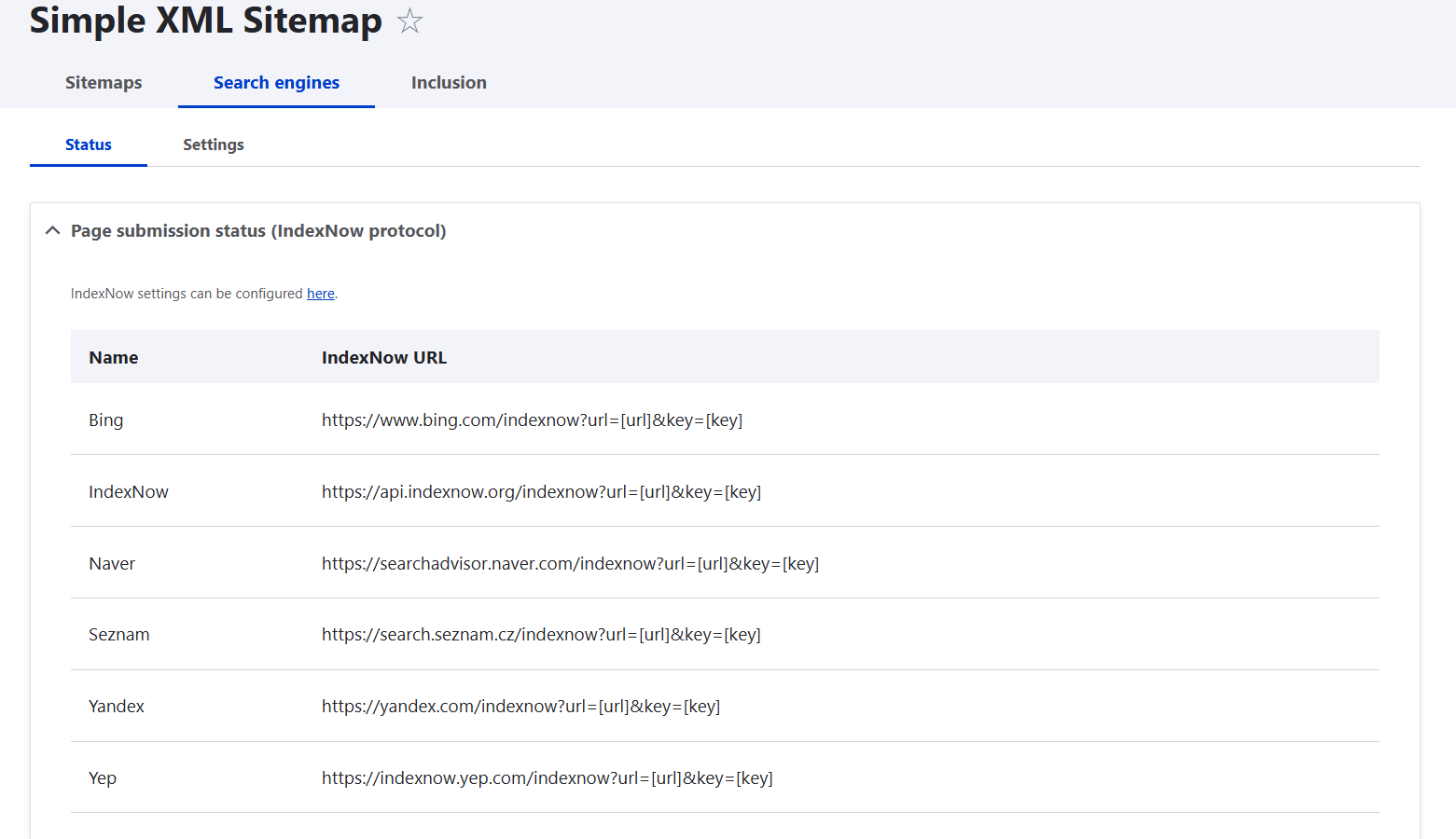
On a Drupal website, the Simple XML Sitemap module is your go-to solution. Despite its name, it’s advanced, feature-rich, and flexible. Key capabilities include:
- granular control over which pages to include or exclude
- setting update frequency and page priority
- automatic sitemap submission to search engines
- support for multilingual sitemaps following Drupal best practices
- a pre-configured default sitemap for a quick start
- deep customization options when needed
Check out a step-by-step walkthrough of how to configure an XML sitemap on your Drupal website.
Boosting SEO: URL redirects and real-time text analysis
While having a well-structured XML sitemap is important for Drupal search engine optimization, there are many other best practices to follow. Drupal provides a variety of tools in this area, boosting the SEO impact of the valuable content you have on your content-rich website. Let’s explore a couple of the most useful ones.
Real-time SEO analysis
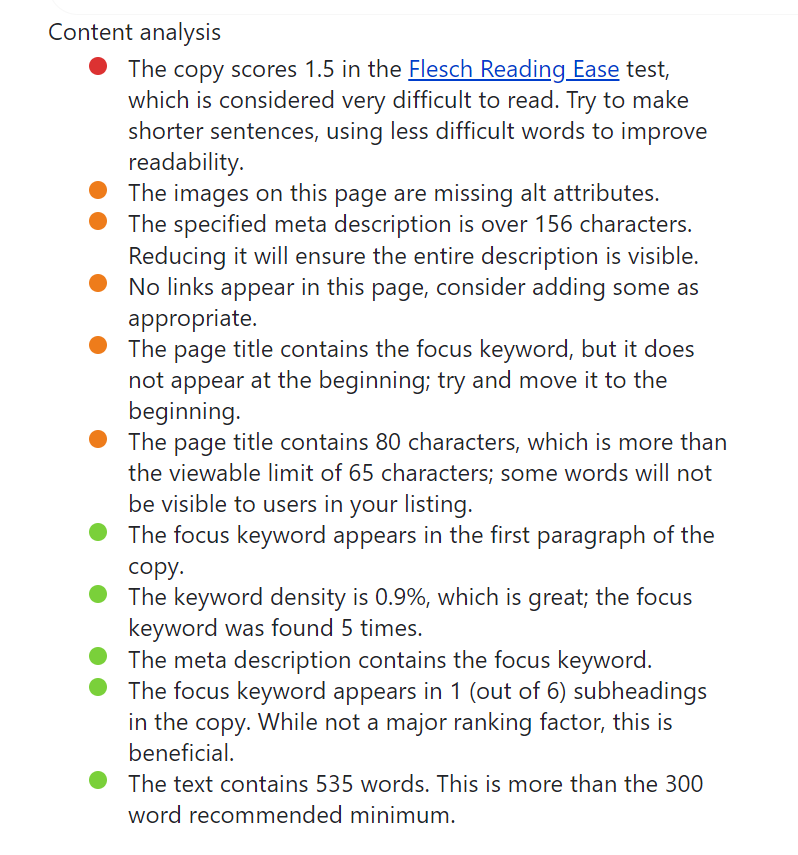
Imagine having a reliable SEO adviser guiding you while you create content. That’s exactly what the Real-time SEO module does! It checks your content as you write for key SEO factors like:
- keyword placement and density
- readability
- internal and external links
- meta description length
- and more
It even provides a snippet preview of how your content will appear in search results.
Check out our full guide to optimizing your Drupal content with the Real-time SEO module. Notably, the tool is part of the SEO package (aka SEO recipe) in Drupal CMS — a special version of Drupal tailored to non-tech users and full of pre-configured functionalities.
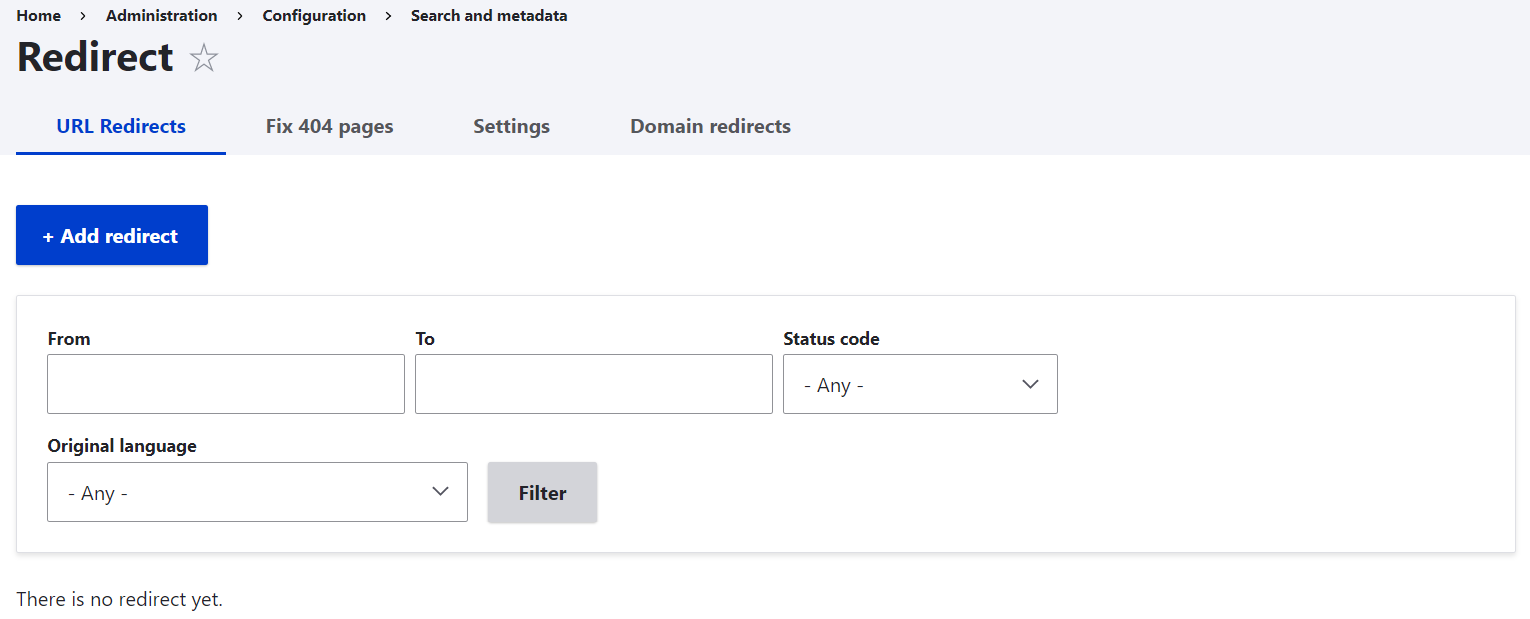
URL redirects
If your Drupal website is content-rich, you’ll sooner or later have pages that are no longer available at their old addresses. This is often caused by removed or merged content, changes in URLs, migrations to a new domain, and more. By creating redirects, you both inform search engines to which address a specific page has moved, helping them index it correctly. You also make sure your users don't see a frustrating 404 error.
The Redirect module enables you to create redirects easily via a user-friendly interface. It also includes submodules to:
- track 404 errors so you can create redirects for frequently requested broken URLs
- manage redirects from one domain to another
Discover more about why you might need redirects and how to create them in Drupal.
Having the most useful features at your fingertips in CKEditor
When managing a content-rich website, your text editor needs to let you do everything you need — quickly and efficiently. Compared to CKEditor 4, CKEditor 5 offers a modern, faster, and more convenient interface. You can format inline images via a dedicated toolbar, bulk-upload images, add links using a sleek balloon panel, create tables instantly, insert code blocks, add special characters, and more.
To expand your options even further, the Drupal community offers a variety of helpful tools, including CKEditor 5 Plugin Pack, Drupal AI (Artificial Intelligence), CKEditor 5 Premium Features, and more. Features like to-do lists, word count, find-and-replace, comments, real-time collaboration, and AI integration are just a few examples. Most of the available features are free, except for a few that the CKEditor team offers on a premium basis. Check out our post for a closer look at premium features in CKEditor for Drupal, along with an overview of multiple free options.
A couple of great examples of free enhancements you can add to your content are modern icons and sleek rows and columns:
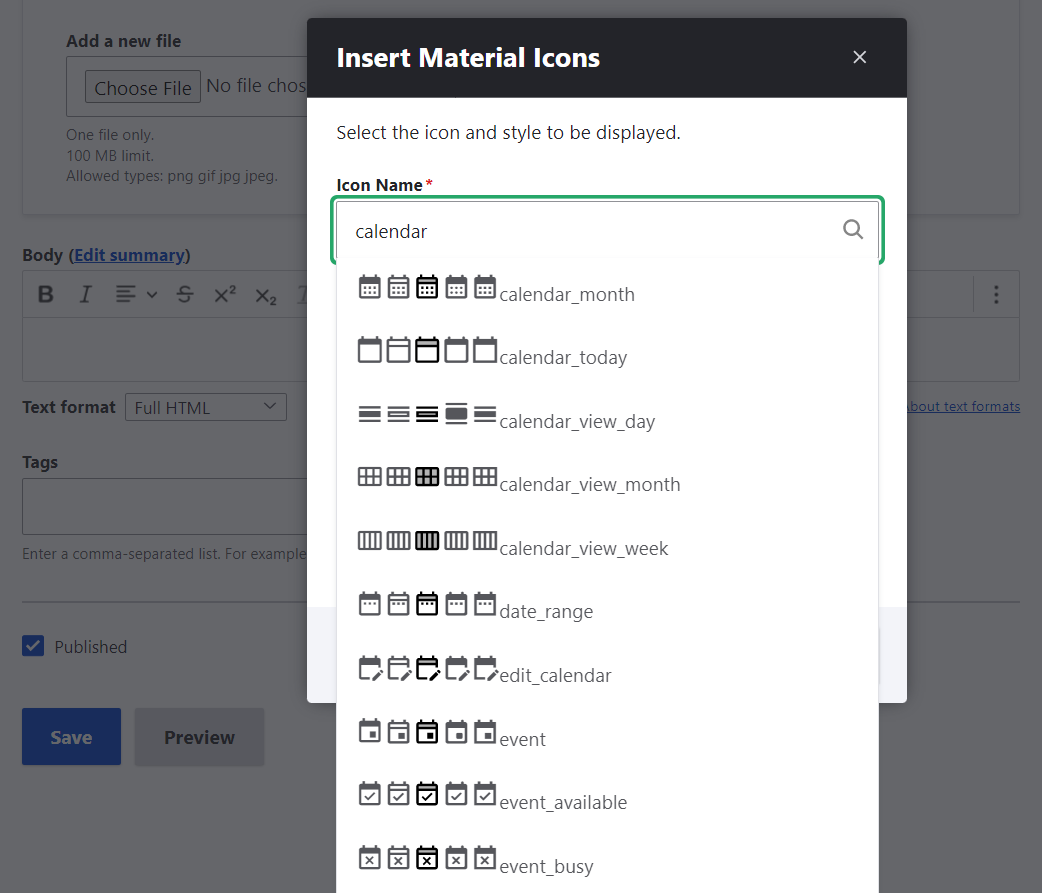
- The Material Icons module by our Software Architecture Director, Bryan Sharpe, lets you easily explore and insert Google’s Material Icons.
- The CKEditor Bootstrap Grid module, also by Bryan, enables adding grids with various rows and columns, powered by the Bootstrap framework, ensuring responsive layouts across all devices.
- The CKEditor SVG Icon module by our Software Architect, Aaron Christian, is designed for adding icons in the SVG (Scalable Vector Graphics) format.
Discover a detailed walkthrough of those three great Drupal modules to extend CKEditor 5.
Final thoughts
There are so many excellent Drupal tools for content-rich websites that it’s impossible to cover them all in a single article. Learn how to categorize content for nonprofits and higher education, manage numerous categories with smart tools, explore powerful options for your site’s search functionality, and much more. With the right setup, you can spend less time wrestling with content management and more time creating pages that truly engage, inspire, and make an impact!